

Cryptix: Secure Password Suite
20/01/2026 • 00:04:30
Project Reference
This article relates to a project in our portfolio.
Introduction:
Cryptix is a browser-based password management suite. Generate secure passwords with option to import / export credentials as encrypted .JSON making it fully portable.
🚀 Core Features
1. Encrypted Vault Manager
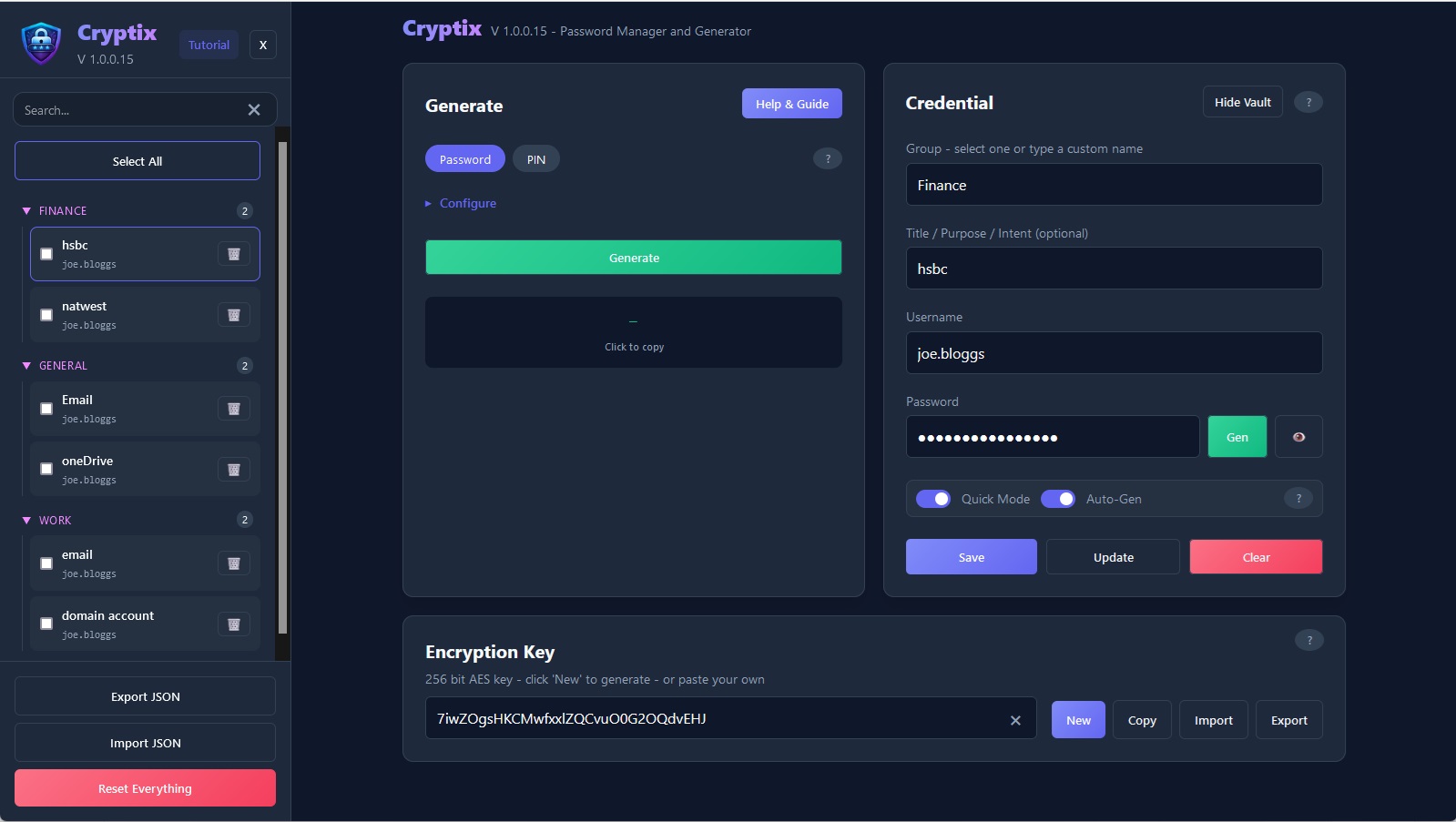
The vault allows you to store credentials organized by Groups (e.g., Work, Finance, Social Media).
- Credential Masking: Usernames and passwords are hidden by default to prevent "shoulder surfing."
- Auto-Complete Known Usernames: Auto-complete previously used usernames for speed and convenience.
- Import / Export: Data is saved to an encrypted .JSON, nothing is stored on the server. You own your data.
2. High-Entropy Password Generator
Cryptix includes a highly configurable password generator capable of creating:
- Alphanumeric Passwords: Standard secure strings.
- Strong Passwords: Inclusion of symbols and mixed-case enforcement.
- PIN Mode: Specifically for numerical codes (0-9).
- Custom Character Sets: Define exactly which symbols are allowed for restrictive legacy systems.
3. Data Portability & Safety
Cryptix provides several "fail-safe" measures to protect your data:
- Conflict Prevention: A built-in warning system prevents you from accidentally overwriting your current vault during an import.
- Factory Reset: A "Nuclear Option" that resets the environment instantly.
📖 How to Use
Generate a Password
- Generate: Click "Generate" to produce a strong password (configurable to your requirements).
- Copy: Click the password to copy it to your clipboard!
Store a Credential to the Vault
- Initialize: Generate or paste an existing Master AES Key in the top toolbar. Without this, the vault cannot be saved or loaded.
- Group: Type a group name, or double-click the field to select an existing group
- Title: Optional - give the credential a title or recognisable label
- Username: Type a username
- Generate: Click "Generate" to produce a strong password (configurable to your requirements).
- Save: Store the credential in the vault
Export Vault
- Export: Click export to save your vault to an encrypted .JSON - this also exports your key separately.
Import Vault
- Import: Click import button within the sidebar, then select a .JSON vault
- Import Key: Click the import button next to the Key generator, then select your corresponding Key file.
Summary
Cryptix provides secure environment for managing sensitive credentials with ease.
And has the ability to operate completely offline.
Project Reference
This article relates to a project in our portfolio.