

Cryptix: New Release - Version 1.0.0.15 - New Features
22/01/2026 • 00:04:30
Project Reference
This article relates to a project in our portfolio.
Introduction:
Cryptix is a browser-based password management suite we've developed as a free tool. Generate secure passwords with option to import / export credentials as encrypted .JSON making it fully portable.
What's New?
1. 🚀 Features
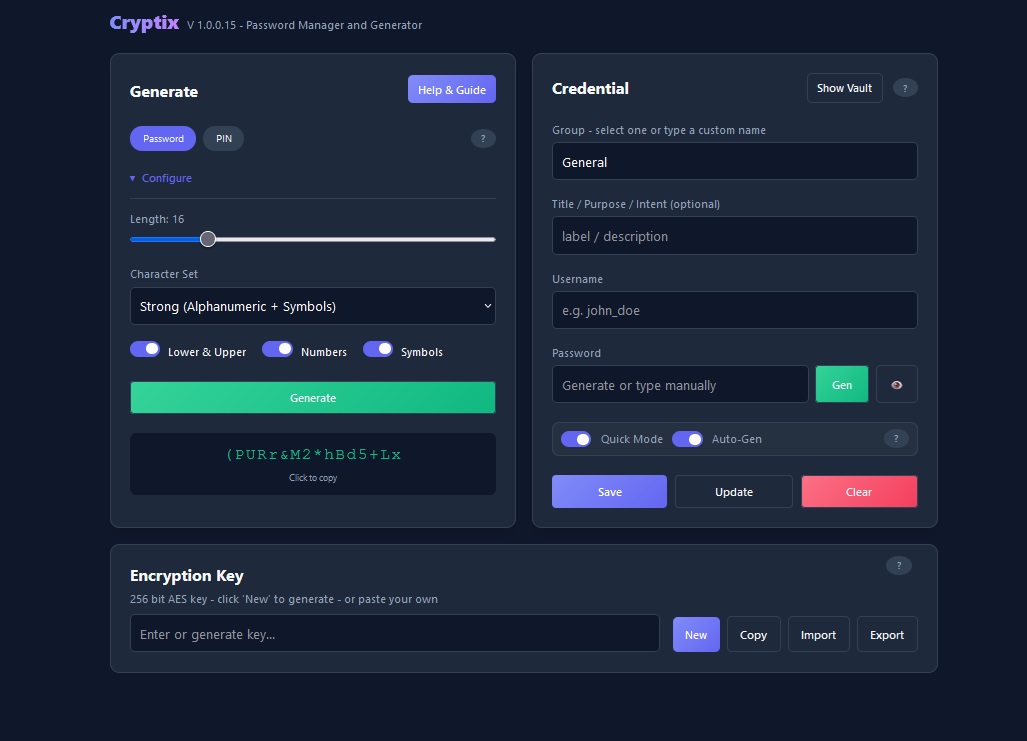
- PIN or Password: Configure the length and compleixity to meet your requirements.
- Grouping: Select preset groups or type a custom name, whatever suits you.
- Credential Masking: Usernames and passwords are hidden by default to prevent "shoulder surfing."
- Auto-Complete Known Usernames: Auto-complete previously used usernames for speed and convenience.
- Import / Export: Data is saved to an encrypted .JSON, nothing is stored on the server. You own your data.
** NEW **
- Quick mode: retain field values when adding new credentials to the vault
- Auto-Gen: used with "Quick Mode" - auto generates password on each save
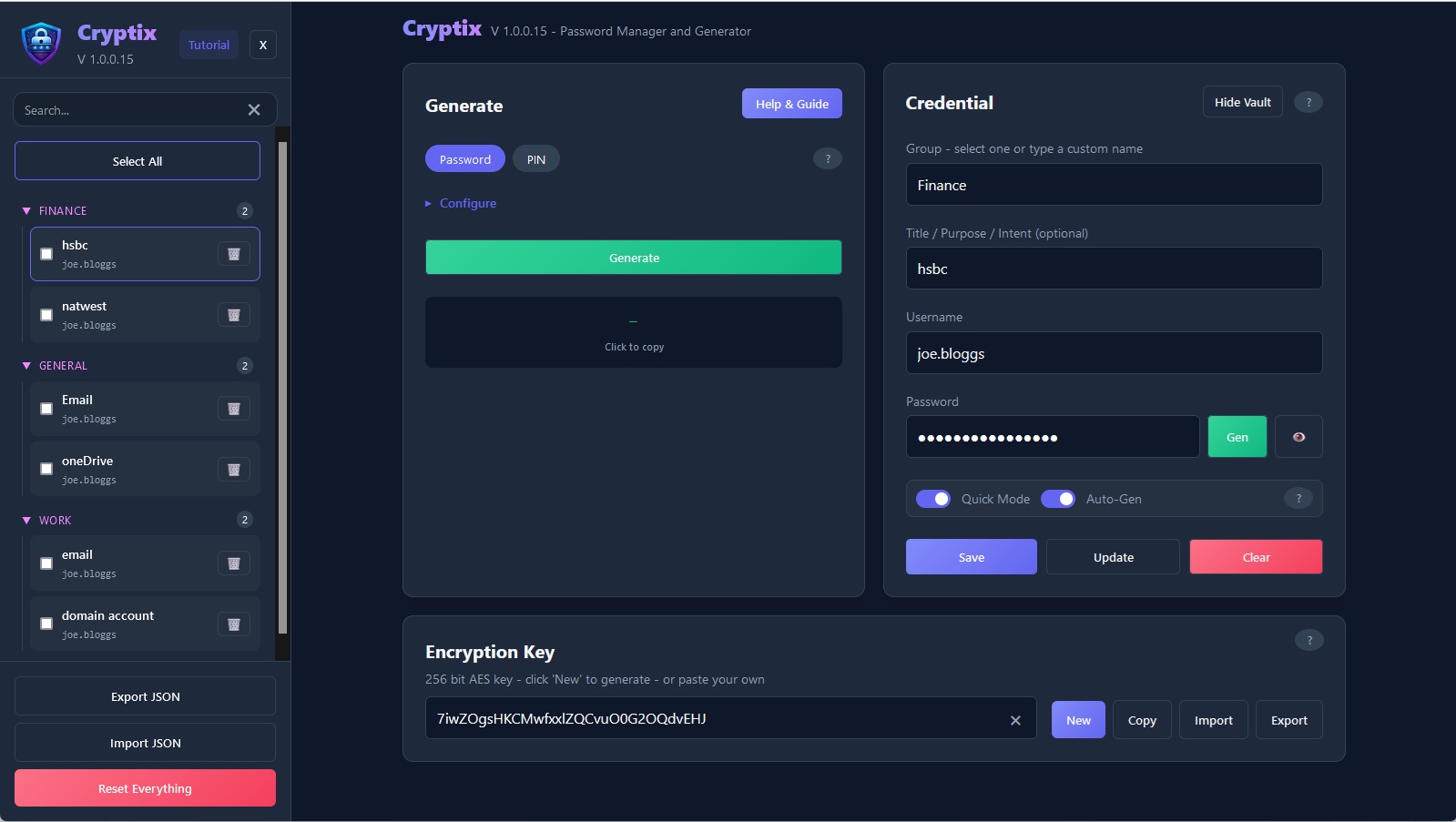
- search box added to vault
- Intuitive auto-focus of input fields for faster input
- use "Enter" key in the title, username, and password boxes to "commit and tab" to the next field for faster data entry
- failsafe added to Reset button that exports your vault first so you dont lose it by accident
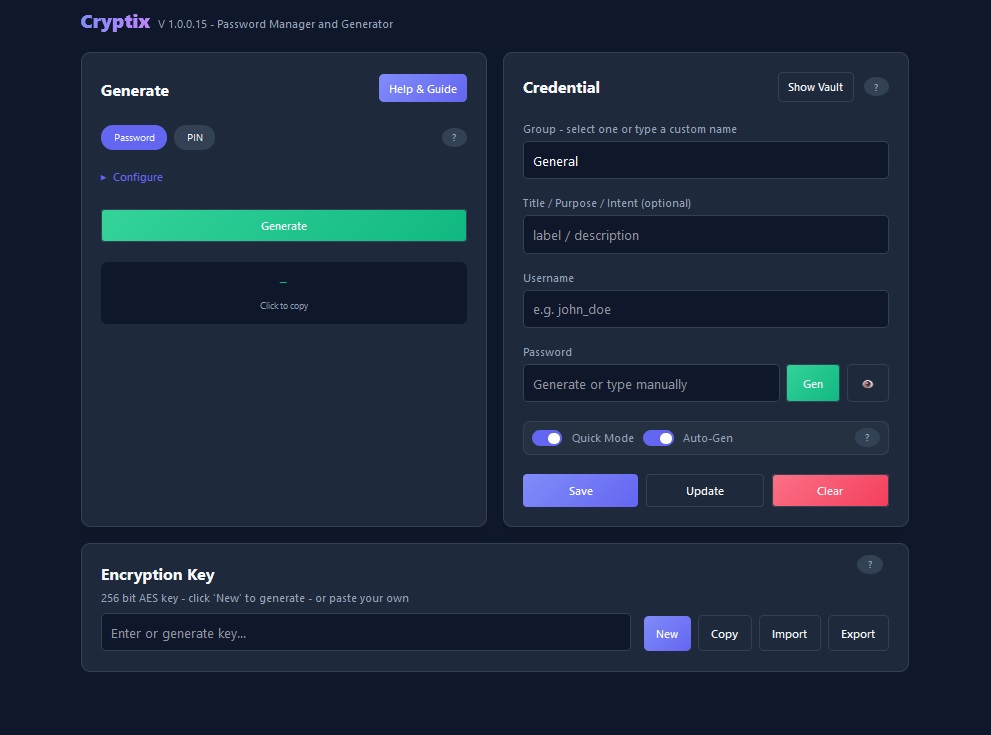
##. ⭐ Improvements
Look and Feel
- hide and show valut on demand for cleaner ui
- collapsible password generator config settings for cleaner ui
- Re-coloured buttons for overall better visual
- improved input validation with aniimation and highlighted UI controls for visual feedback.
Help and Guidance
- help buttons added for each section
- improved "help & Guide"
- interactive tutorial added (disabled in mobile-view though)
📖 How to Use
Generate a Password
- Generate: Click "Generate" to produce a strong password (configurable to your requirements).
- Copy: Click the password to copy it to your clipboard!
Store a Credential to the Vault
- Initialize: Generate or paste an existing Master AES Key in the top toolbar. Without this, the vault cannot be saved or loaded.
- Group: Type a group name, or double-click the field to select an existing group
- Title: Optional - give the credential a title or recognisable label
- Username: Type a username
- Generate: Click "Generate" to produce a strong password (configurable to your requirements).
- Save: Store the credential in the vault
Export Vault
- Export: Click export to save your vault to an encrypted .JSON - this also exports your key separately.
Import Vault
- Import: Click import button within the sidebar, then select a .JSON vault
- Import Key: Click the import button next to the Key generator, then select your corresponding Key file.
Summary
Cryptix provides secure environment for managing sensitive credentials with ease.
And has the ability to operate completely offline.
Project Reference
This article relates to a project in our portfolio.