
Paletto: Engineering the Perfect Spectrum for Modern Design Systems
Color is the silent architect of the user experience. It dictates hierarchy, influences emotion, and ensures accessibility. Yet, for many designers and developers, the bridge between a beautiful four-color swatch and a functional, scalable UI theme is often broken. Enter Paletto: a streamlined palette generator and swatch designer engineered to transform color theory into deployable design systems.
This article provides an in-depth analysis of Paletto’s capabilities, ranging from its systematic 30-color mapping logic to its real-time UI preview environment. We will explore how Paletto serves as both a high-level design architect and a high-speed utility for daily creative workflows.
1. The Philosophy of Systematic Color
In a professional design environment, a palette cannot exist in a vacuum. A primary brand color is useless unless the designer also knows how it looks as a hover state, how it contrasts against a secondary surface, and how it translates into a subtle drop shadow.
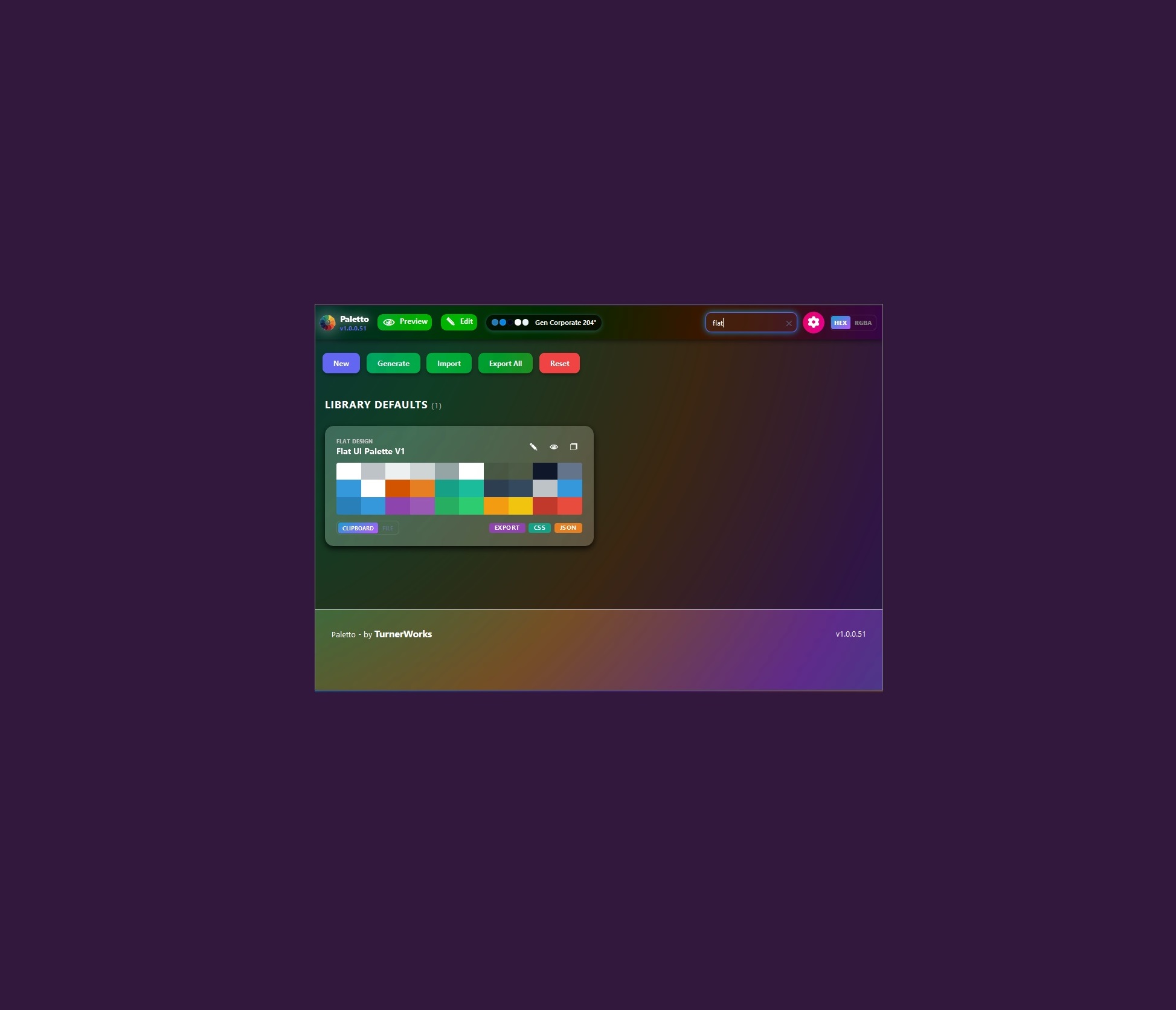
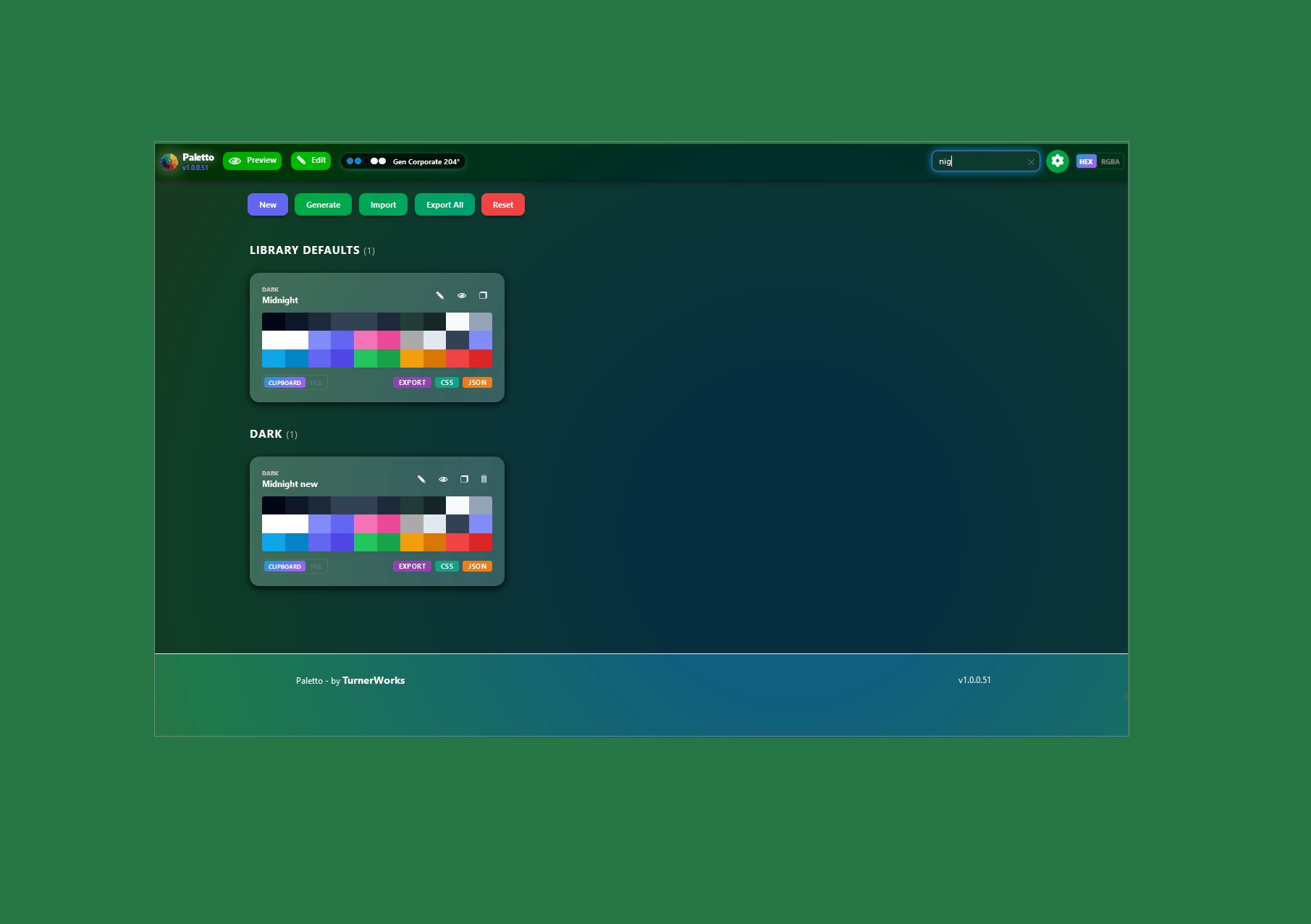
Paletto was built to solve the "fragmentation problem." Most generators provide a handful of colors that look good side-by-side but fail when applied to a complex interface. Paletto generates a comprehensive 30-color system. This isn't an arbitrary number; it is a meticulously calculated range designed to map directly to modern UI components.
Professional Use Cases
- Design System Scaling: Establish a "Single Source of Truth" for brand colors that developers can implement via JSON variables.
- Accessibility Compliance: Rapidly generate light and dark variants of a theme while maintaining consistent contrast ratios.
- Prototyping Speed: Move from a single seed color to a fully themed dashboard in seconds rather than hours of manual hex-picking.
- Cross-Platform Consistency: Ensure that the same aesthetic logic is applied whether the output is for a web app, a mobile interface, or desktop software.
2. Real-Time Validation: The Preview Mode
The most significant hurdle in color design is the "Context Gap"—the difference between seeing a color in a small square and seeing it across a full-page layout. Paletto eliminates this gap through its dedicated Preview Mode.
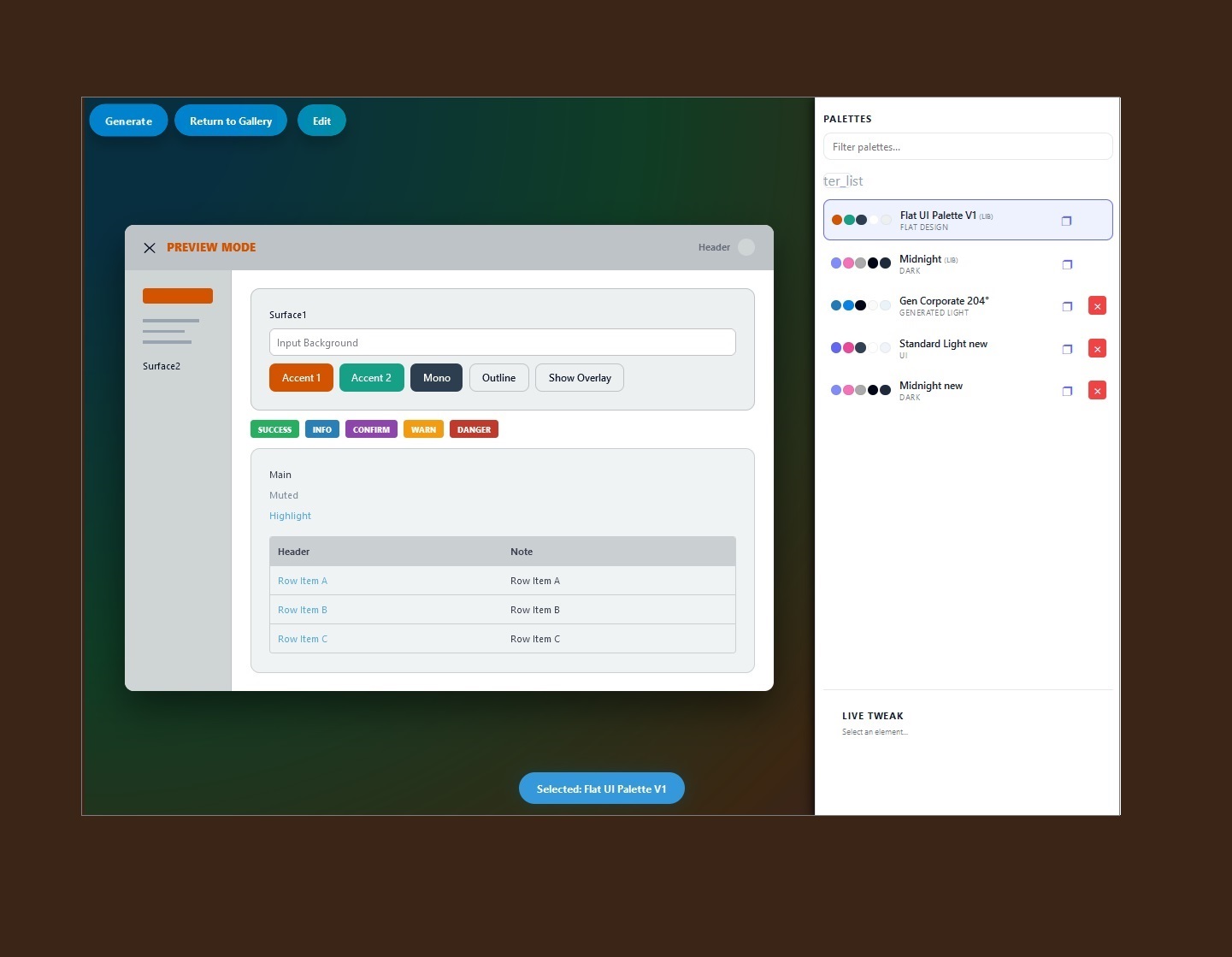
When you activate Preview Mode, your active 30-color palette is instantly injected into a simulated user interface. This demo UI includes standard elements such as navigation bars, primary and secondary buttons, data cards, typography scales, and interactive states.
This environment allows designers to see exactly how "Color 07" functions as a header background versus how "Color 22" performs as a subtle border. If the contrast on a CTA button feels slightly off, you don't have to exit the preview; the feedback loop is instantaneous.
3. Visual Iteration and Live Editing
Design is rarely a linear process. Often, a color that looks perfect in theory feels "heavy" when applied to a large surface area. Paletto supports Live Editing, allowing designers to make granular adjustments while the preview is active.
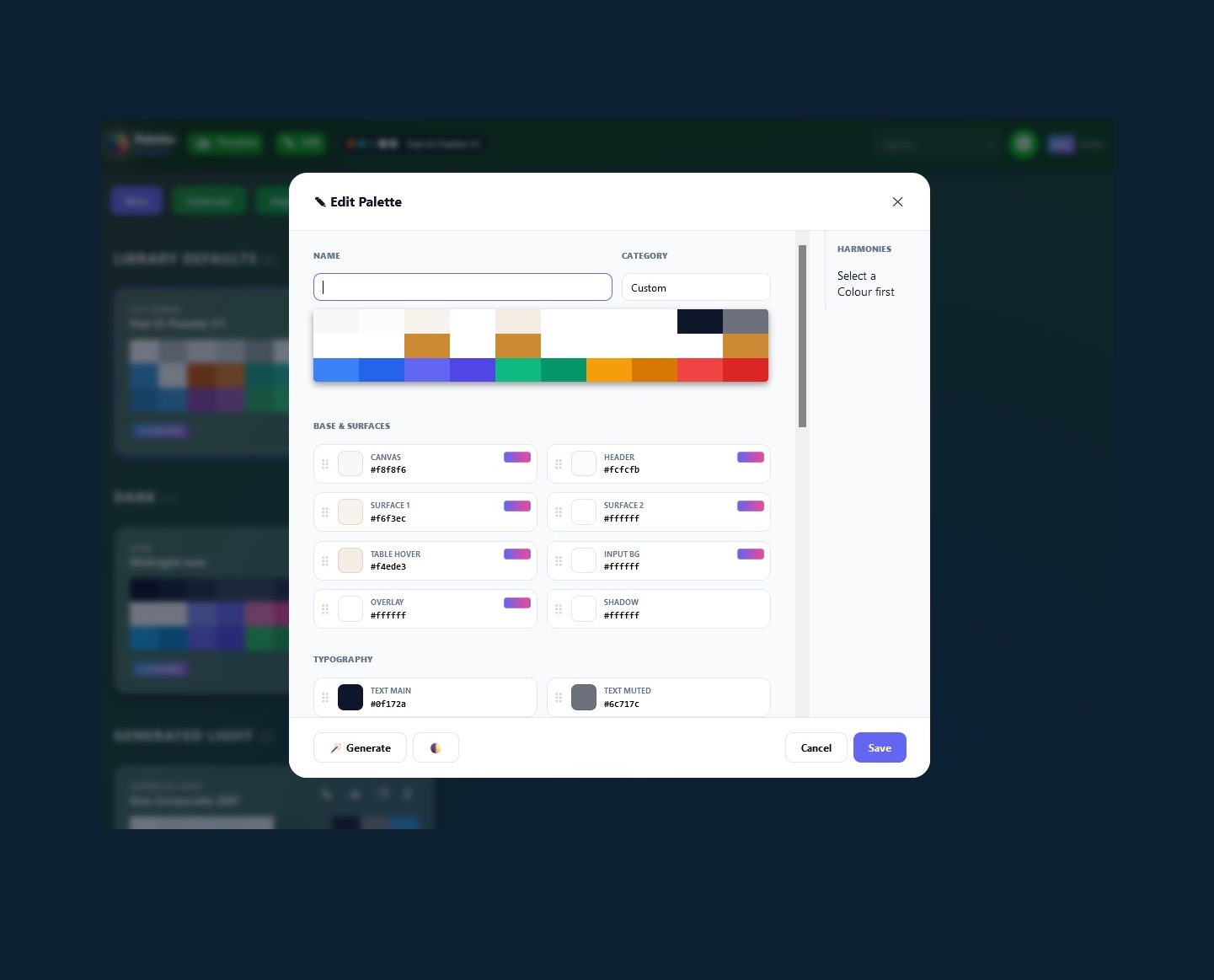
Through the editing interface, users can manipulate individual swatches. Whether you are shifting the hue of a primary accent or adjusting the luminance of a neutral surface tone, the changes ripple through the demo UI in real-time. This visual-first approach caters to designers who prefer "feeling" their way through a design rather than relying solely on mathematical hex codes. This feature transforms Paletto from a static generator into a dynamic sandbox for creative experimentation.
4. Algorithmic Harmony: Generating from Seed Colors
While Paletto allows for total manual control, its true power lies in its Theory-Driven Generation engine. Designing a 30-color palette from scratch is time-consuming and prone to human error regarding saturation and value consistency.
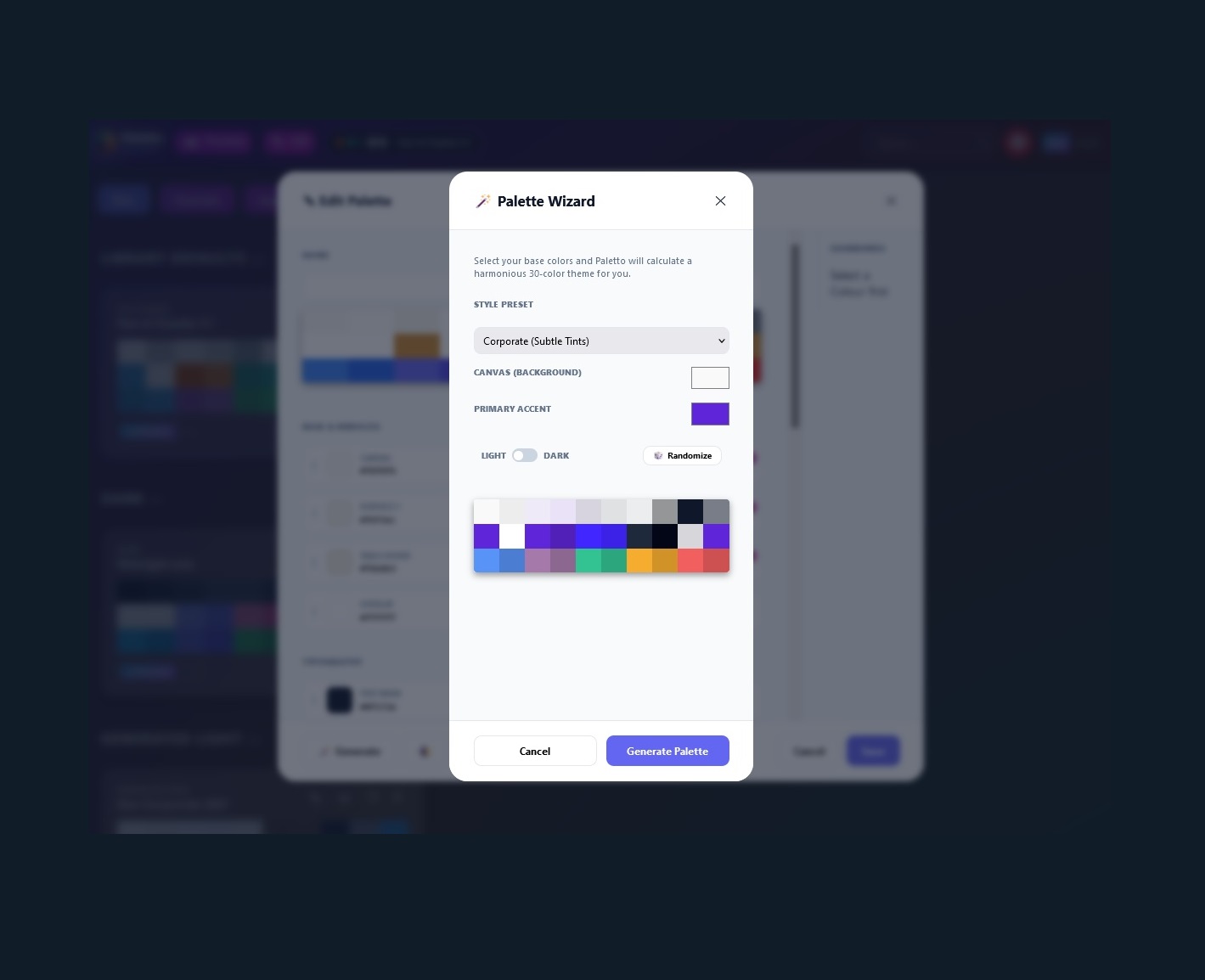
By selecting just two seed colors—a Background and an Accent—Paletto utilizes proprietary algorithms based on classic color theory to calculate the remaining 28 colors.
How the Generation Works:
- Background Seed: Sets the "temperature" and "depth" of the theme. This determines the neutral scales and surface elevations.
- Accent Seed: Establishes the brand identity. The engine calculates complementary, triadic, or analogous variations to fill out functional slots like "Success," "Warning," and "Active" states.
- Light vs. Dark Logic: With a single toggle, the engine flips the logic. A dark theme isn't just a "negative" of a light theme; Paletto recalibrates the saturation levels to ensure colors don't "glow" uncomfortably against dark surfaces, maintaining visual comfort and legibility.
5. Portability: JSON Export and Import
A tool is only as good as its integration into a professional workflow. Paletto recognizes that design doesn't end within the browser—it ends in the codebase.
To facilitate a seamless handoff between design and development, Paletto features a robust Import/Export system. Palettes are saved as lightweight JSON files. This format is the industry standard for data interchange, making it incredibly easy for developers to parse the palette and map it to CSS variables, Tailwind configurations, or SCSS maps.
Why JSON Persistence Matters:
- Version Control: Design teams can store palette files in Git repositories alongside their code.
- Session Continuity: You can close the app and return weeks later, reimporting your JSON to pick up exactly where you left off.
- Modular Themes: Large-scale applications can maintain multiple JSON files (e.g.,
theme-ultra-dark.json,theme-high-contrast.json) and switch between them programmatically.
6. The Designer’s Quickpad: Clipboard Efficiency
Beyond large-scale theme architecture, Paletto is designed to be a high-velocity utility for daily tasks. The "Quickpad" functionality allows the app to stay open as a reference tool while you work in other software like Figma, Adobe XD, or VS Code.
- One-Click Copy: Every color in your palette is a button. Clicking it instantly copies the value to your clipboard.
- Format Flexibility: In the title bar, a global toggle allows you to switch between Hex and RGBA.
- Conversion Utility: Paletto acts as a real-time converter. If you have a Hex code and need the RGBA equivalent for a CSS opacity effect, simply paste it in and toggle the format. It removes the need for external conversion websites, keeping you in your creative flow.
7. Conclusion
In the current design landscape, speed and systems-thinking are no longer optional—they are requirements. Paletto was designed to satisfy both. By providing a structured framework of 30 colors, it moves designers away from the "guessing game" of color selection and toward a disciplined, systematic approach to theming.
From the high-level algorithmic generation of harmonious scales to the granular, live-editing of UI previews, Paletto offers a complete end-to-end solution for color design. It is a tool built by creators, for creators, ensuring that your next project isn't just colorful—it's cohesive.
Generated for the Paletto Design Suite.