
Introduction:
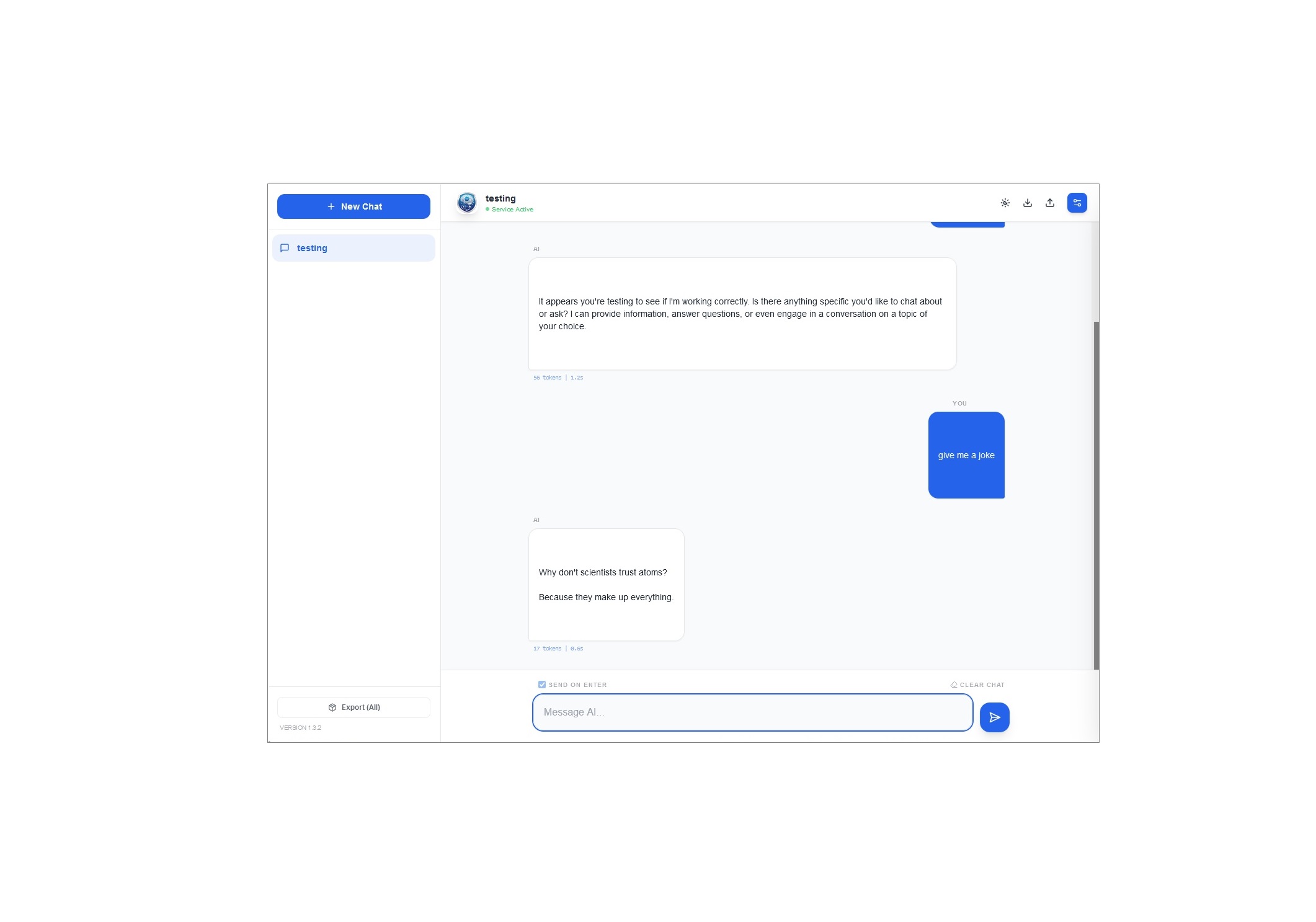
LLM Chat is a lightweight web interface that allows you to chat with any Large Language Model (LLM), anywhere, through a unified UI. Whether you are running a powerhouse model locally for privacy or tapping into the latest cloud-based intelligence, LLM Chat bridges the gap.
It provides a professional-grade environment where you can import/export conversations, control granular inference parameters, and stream responses in real-time.
🚀 Key Features
- Multi-Provider Integration: Seamlessly switch between local backends (Ollama, LM Studio) and cloud-based APIs (OpenAI, Google Gemini).
- Privacy-Centric: Your conversations, system prompts, and settings are stored directly in your browser's
localStorage. No external database is required. - Advanced Parameter Tuning: Total control over the model's behaviour with dedicated sliders for Temperature, Top-P, Top-K, and Max Tokens.
- Dynamic UI: Includes a custom accent colour picker, dark mode support, and a responsive sidebar for managing multiple conversation threads.
- Pro Tools: Edit existing messages, delete specific entries, and export/import your entire chat library as JSON files for easy backup.
📖 How to Use
1. Configure Your Provider
Open the Settings Sidebar (gear icon) to choose your backend:
- Ollama / LM Studio: Ensure your local server is running. The tool defaults to the standard local ports (e.g.,
11434or1234). - OpenAI / Gemini: Select the provider, enter your API Key, and specify the Model ID (e.g.,
gpt-4oorgemini-1.5-flash).
2. Set the System Prompt (Optional)
Define the AI's persona. You can instruct it to be a "Senior Software Engineer," a "Socratic Tutor," or a "Creative Copywriter." This prompt persists across your session to ensure consistent interactions.
3. Manage Your Library
- New Chats: Click "New Chat" to start a fresh thread with a clean context.
- Exporting: Use the export icons to save a single conversation or your entire chat history for archival purposes.
- Importing: Simply drag and drop your JSON exports to restore your previous work and continue where you left off.
Summary
LLM Chat is designed for users who want a single, clean interface to manage all their AI interactions. By combining the cost-efficiency and privacy of local models with the sheer power of cloud APIs, it serves as a "universal remote" for the world of LLMs. Whether you're debugging code locally or generating content via the cloud, LM Chat keeps your workflow organized and your data under your control.