
Introduction:
ChromaFlowStudio is the "Swiss-Army Knife" for ChromaDB. Designed to be the most comprehensive GUI client available, it brings every management task to your fingertips. Whether you are a total beginner or a experienced developer, ChromaFlowStudio lowers the barrier to entry, making it fast, easy, and intuitive to develop with vector databases.
Written in Python intended for Windows OS, but could be adapted for linux by creating the equivilant .sh scripts instead of .bat files
A Pure Python ChromaDB Client,
ChromaFlowStudio is a Pure Python application that bridges the gap between complex vector operations and a user-friendly interface.
The backend is powered by Flask, providing a robust server-side logic handler, while the frontend utilizes standard HTML5 and JavaScript for a responsive, interactive UI. By default, the application persists all ChromaDB data directly to your local disk, ensuring your vector embeddings remain secure and accessible without complex cloud configurations.
1. 🚀 Features:
With over 15,000 Lines of code, this is one mighty App!
Here's a peek at what Chroma Flow Studio can do for you:
-
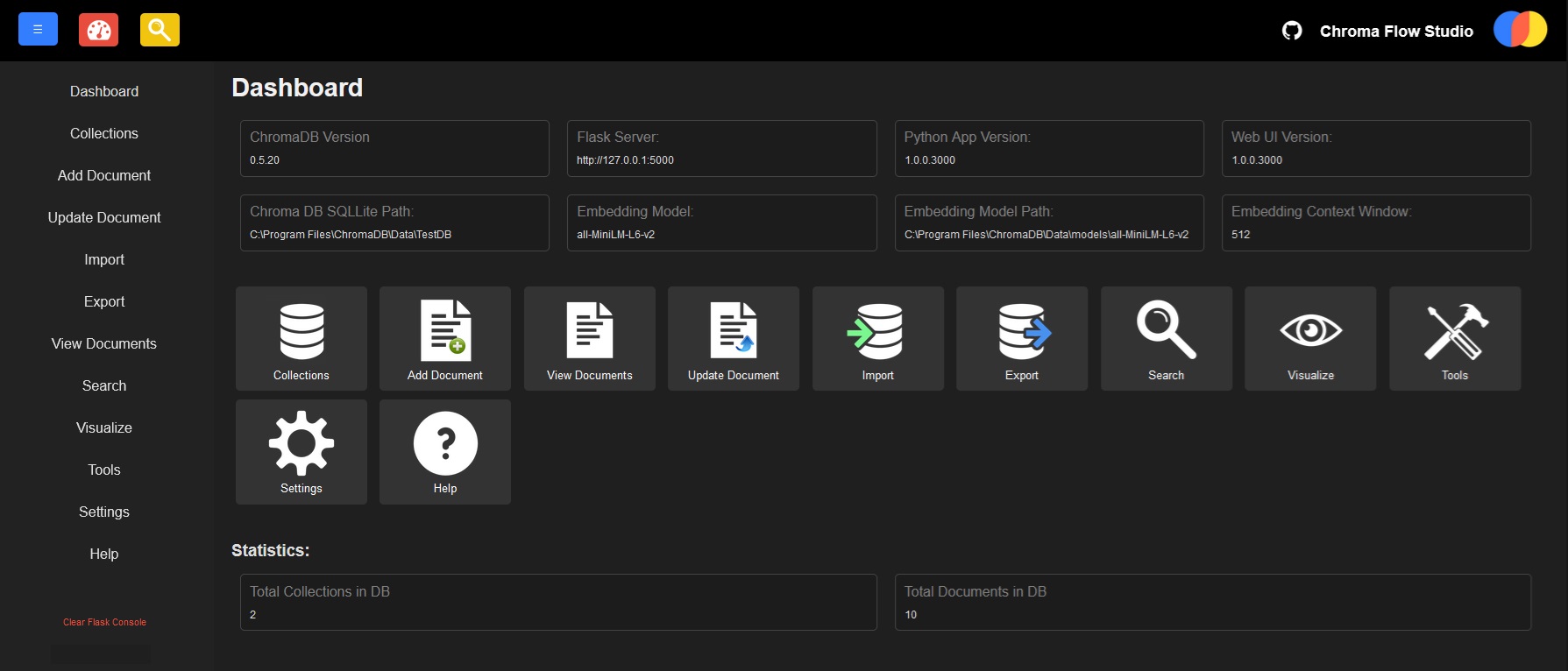
Dashboard Overview:
Get a clear, concise snapshot of your entire ChromaDB setup right from the dashboard. -
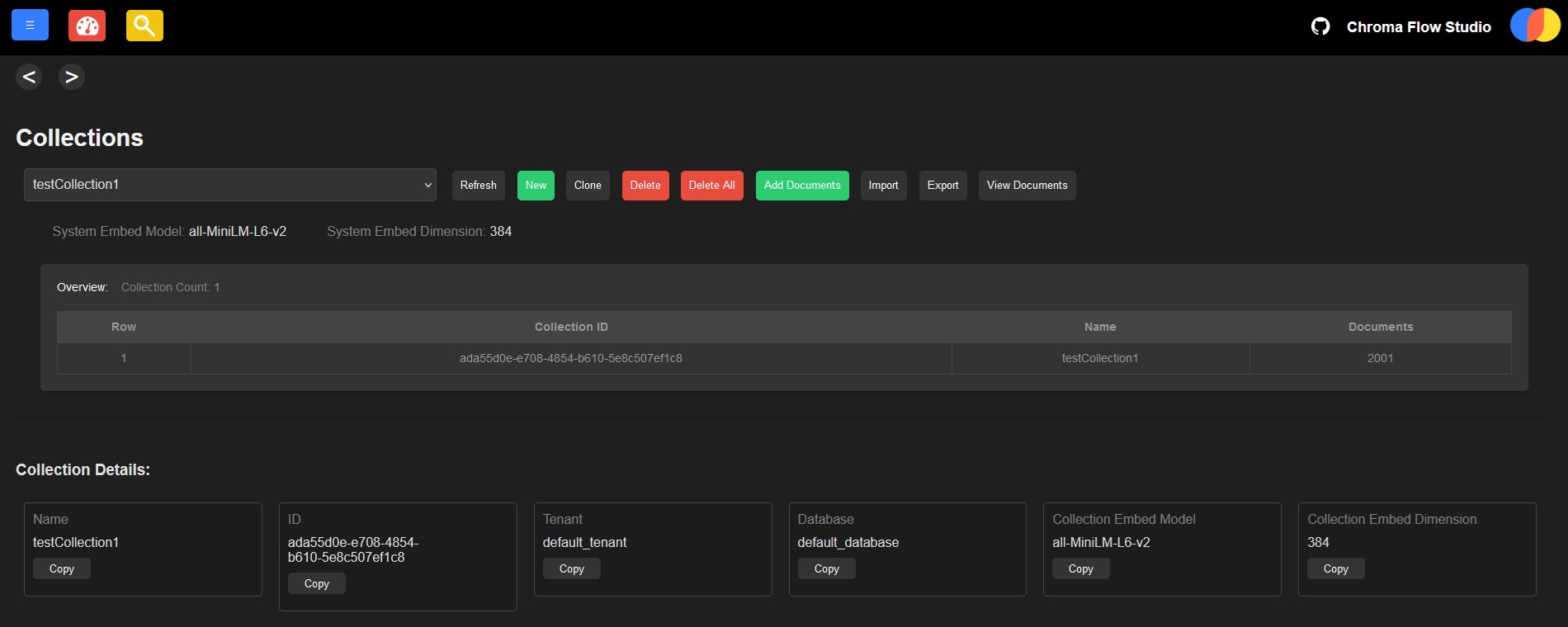
Collections Page:
View all your collections, and perform essential actions like adding, copying, cloning, or deleting them – all with just a click. Plus, we've got handy templates for metadata and default settings to help you hit the ground running without the fuss. -
Add Documents with Ease:
No need to manually assign IDs! Documents can be added with auto-generated IDs, plus customizable metadata templates to save you time. -
Bulk Document Imports and Updates:
Need to add or update a lot of documents at once? No problem. Import documents in bulk with a simple JSON file, or update them in bulk too. -
Document Management:
Whether you need to update a single document, copy one, or delete them (individually, in groups, or all at once), Chroma Flow Studio makes it easy to manage your documents at lightning speed. -
Document Overview:
See all the important details of your documents – from IDs and contents to metadata and embeddings. Want to filter, edit, delete, or review your documents? It's all at your fingertips -
Document Export:
You can easily export documents to JSON, select the content and records you want, and even choose where to send them. Simple as that! -
Similarity Searches:
Run similarity searches - including the ability to filter for both documents and metadata. Precision searching has never been easier. -
Quick Embedding Model Swaps:
Test out different embedding models and compare their performance in mere seconds – perfect for finding the best one for your use case. -
Cloning and Re-Embedding:
Clone your data and re-embed it with a different model – a feature that ChromaDB's Python library doesn't even support natively, but I've added it here just for you! -
Bulk Deletions
Another feature that ChromaDB's Python library doesn't support natively - Clear all documents from a Collection instantly in just a click! -
Flask Server Configuration:
Easily configure the Flask server endpoint to suit your needs, with the flexibility to point to any ChromaDB SQLite file. Switching between them is as easy as flipping a switch. -
Proxy Support:
Using a proxy? No problem! Chroma Flow Studio supports that too. -
Built-in Tools:
UUIDs, Hashes, Timestamps, Embedding generation – all available on the fly. Need to generate synthetic data for testing? It's all ready to go. Plus, there's a handy token counter built right in. -
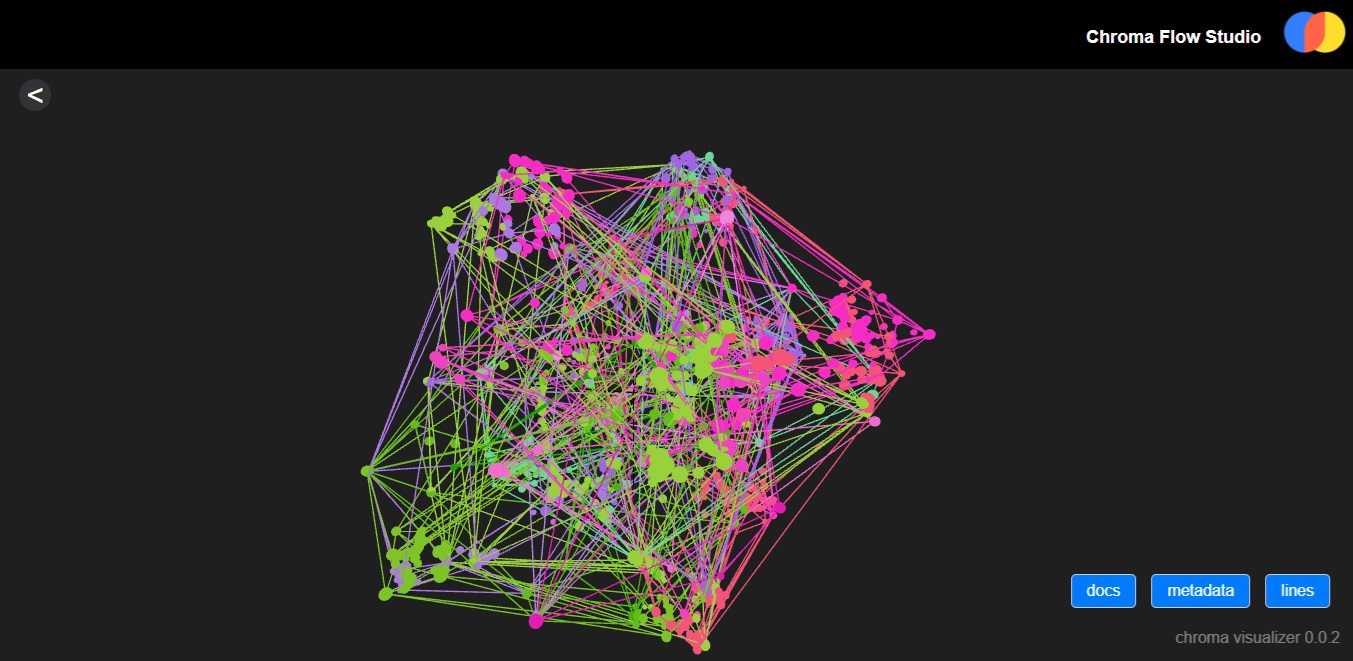
Visualize your Data!:
Get a graphical representation of your collections by Visualizing your data points! (NOTE: requires chrome/firefox/edge to render, if you have issues, try other browsers) -
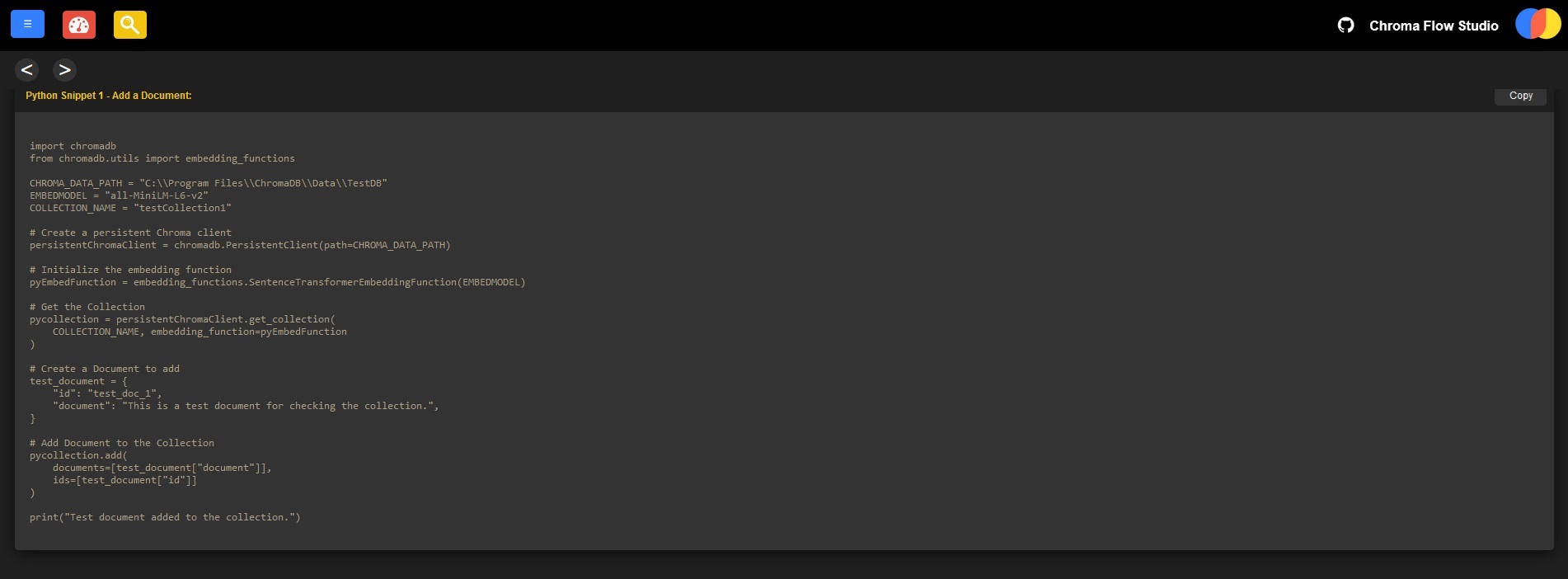
Python Code Snippets:
At the bottom of the Collections / Documents / Update / Search Pages are Python code snippets showing how to perform those actions programatically. Just copy, paste, run, and done! -
And More!
Chroma Flow Studio brings everything you need in one place, wrapped in a simple UI,
with a range of tools built-in, detailed overviews, and embedded knowledge, everything is just a click away.
ChromaFlowStudio supports ChromaDB Versions 0.5.20+
including latest version (ChromaDB 0.6.1 as of writing this)
(if later versions of chromadb introduce a breaking change, try downgrading)
So...
Enough talk
How do we get started?
Pre-Requisites:
- ~300MB for the basic app, but ~1.7GB in Drive Space for all other libraries and dependancies (mainly torch)
- Python 3.10 (may also work in 3.11, but hasnt been tested)
- Pip 24.3.1
- VENV installed (optional, but HIGHLY, and STRONGLY recommended)
- ChromaDB 0.5.20+ to support hnsw config specified in metadata - tested and works on v0.6.1 too (latest as of writing this)
- Chroma-hnswlib==0.7.6+
- Set environment variable CHROMA_SERVER_CORS_ALLOW_ORIGINS=["*"]
- Check the requirements.txt for package version info
Install Instructions: (EASY METHOD)
-
Download the ChromaFlowStudio#.#.#.####.zip (latest version)
and extract to any folder you like, for example C:\Program Files\ChromaDB\ChromaFlowStudio -
Edit the VENV_Create.bat
Amend the pythonPath to YOUR python 3.10 folder (where python.exe is located) -
Run the VENV_Create.bat to create the Virtual Environment
(it'll create a new 'venv' folder for you) -
Run the Install.bat
Let it install everything in the requirements.txt -
Use the Run.bat to launch Chroma Flow Studio!
OR
Install Instructions: (MANUAL METHOD)
Download the ChromaFlowStudio#.#.#.####.zip (latest version)
and extract to any folder you like, for example C:\Program Files\ChromaDB\ChromaFlowStudio
Open a new command prompt window (cmd.exe)
change to the directory where you decided to unzip ChromaFlowStudio:
cd "C:\Path\to\where\you\decided\to\install"
For example:
cd "C:\Program File\ChromaDB\ChromaFlowStudio"
assuming you already have python 3.10 installed,
enter this command and press enter (this creates the virtual environment):
python -m venv venv
activate the virtual environment with this command:
venv\Scripts\activate.bat
Upgrade pip first
venv\Scripts\python.exe -m pip install --upgrade pip
Install the requirements.txt
venv\Scripts\python.exe -m pip install -r requirements.txt
Launch Chroma Flow Studio:
venv\Scripts\python.exe" app.py
Getting Started with Chroma Flow Studio
Creating Collections:
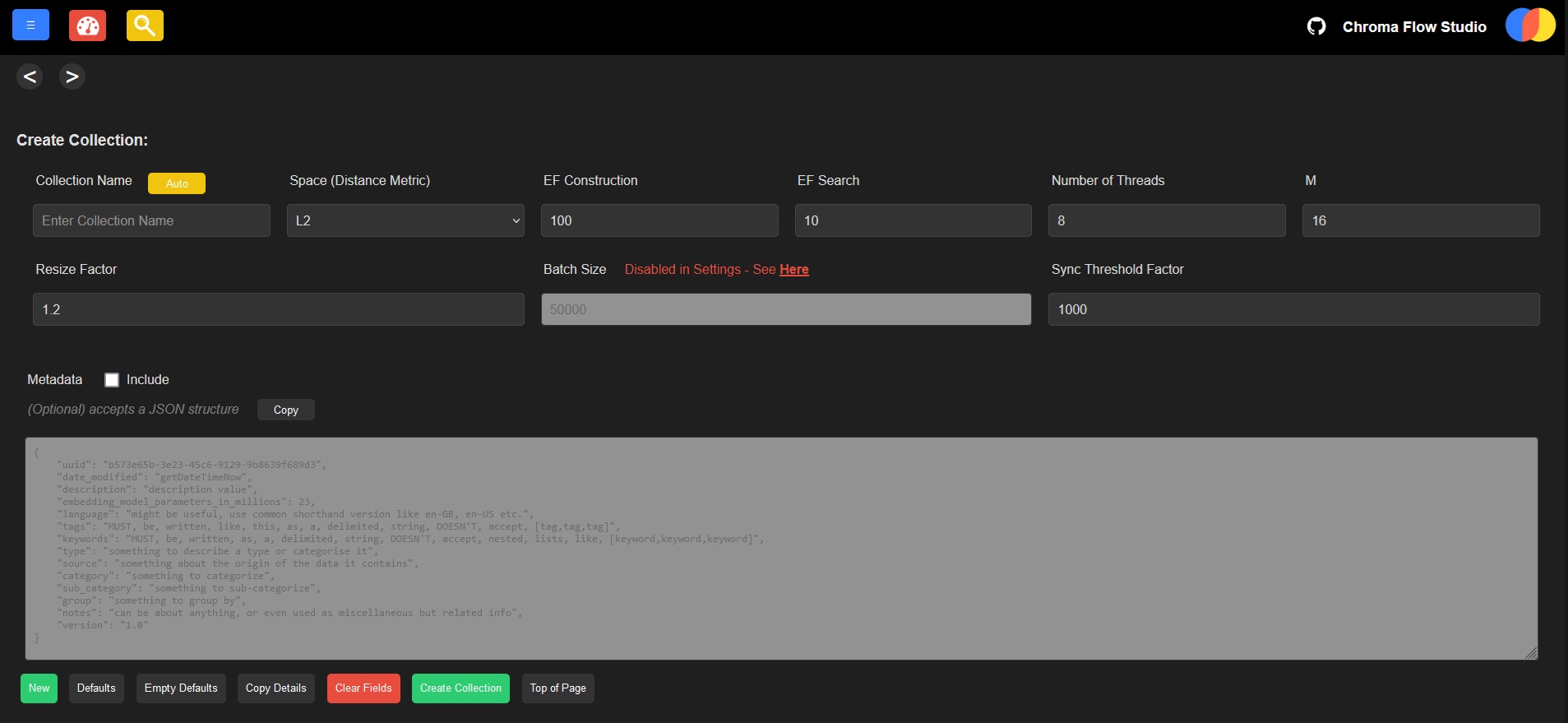
On the collections page, creating a collection is simple and easy. Collection names are autogenerated for convenience, as are the configuration fields and metadata—but you can still configure all of them. There are options to copy a collection's details to a new empty collection, or clone an existing collection, including all its data. Deleting collections one at a time or in bulk is just a single button click.
Adding Documents:
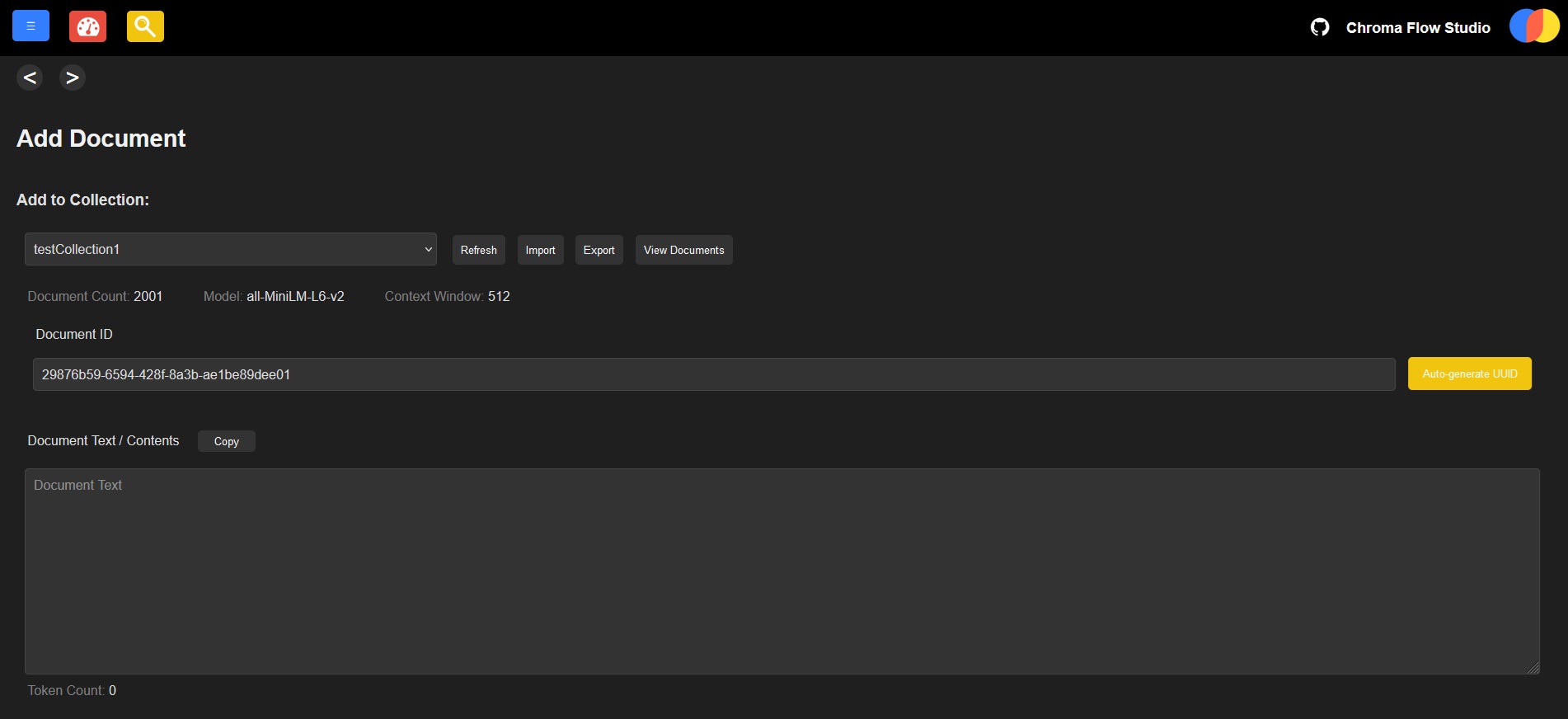
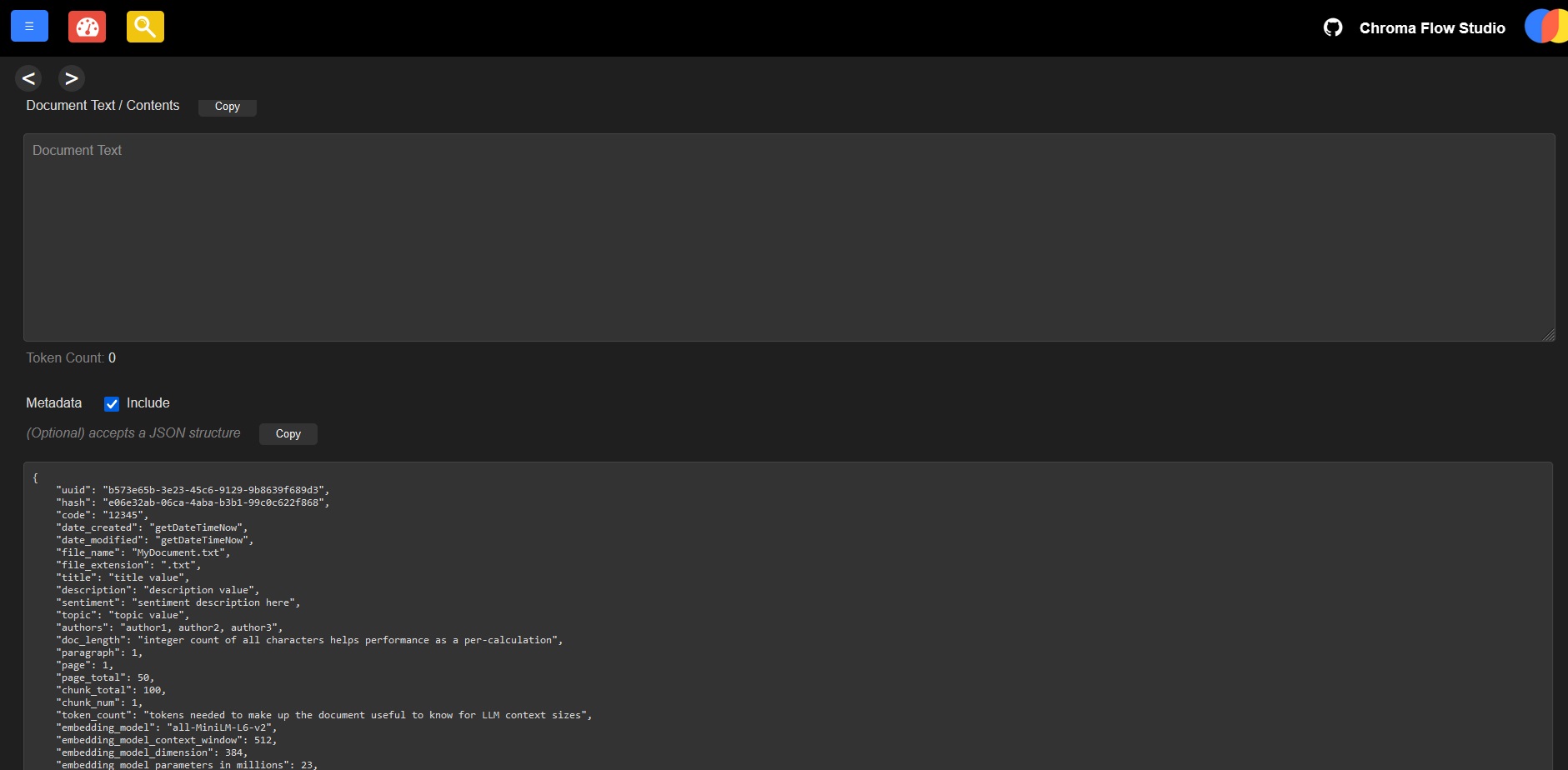
You can add documents one at a time, including setting metadata. There are quick buttons to set metadata templates with many useful attributes you could apply for a document. Or, import documents in bulk. You can also update documents individually or in bulk.
Viewing Documents:
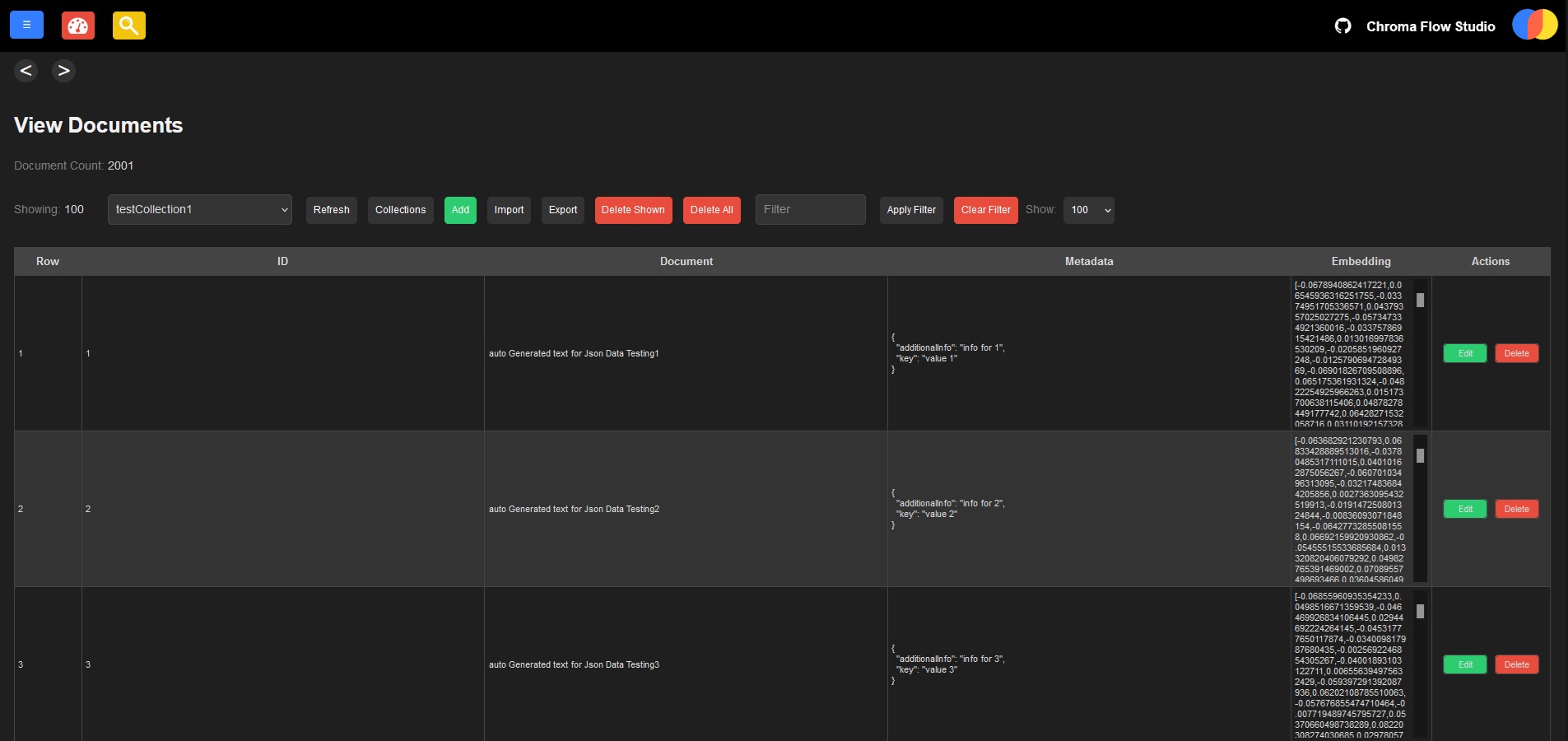
On the view documents page:
- select your collection,
- apply filters,
- choose how many results to return,
and quickly see your document IDs, contents, metadata, and embeddings.
Searching:
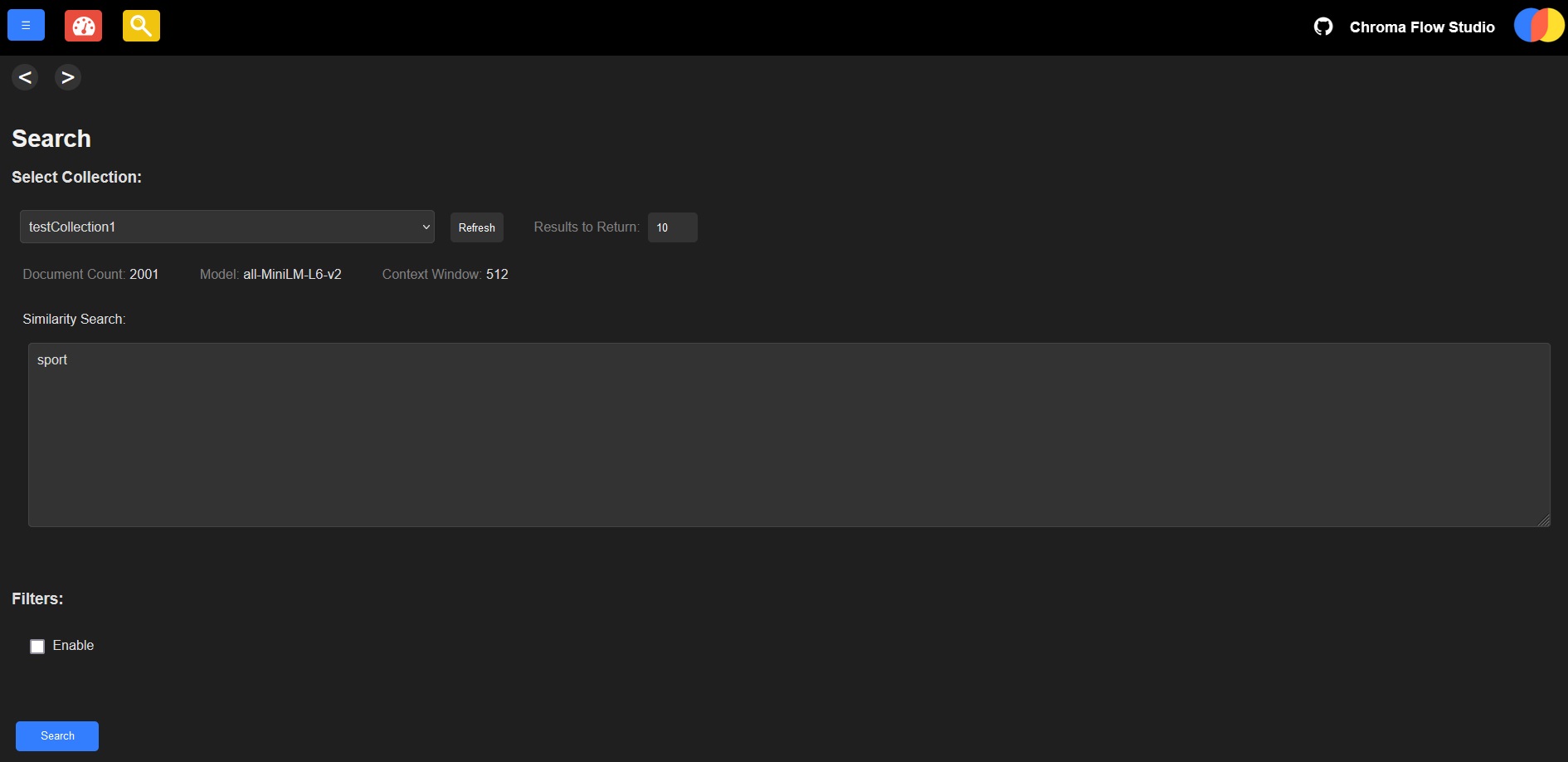
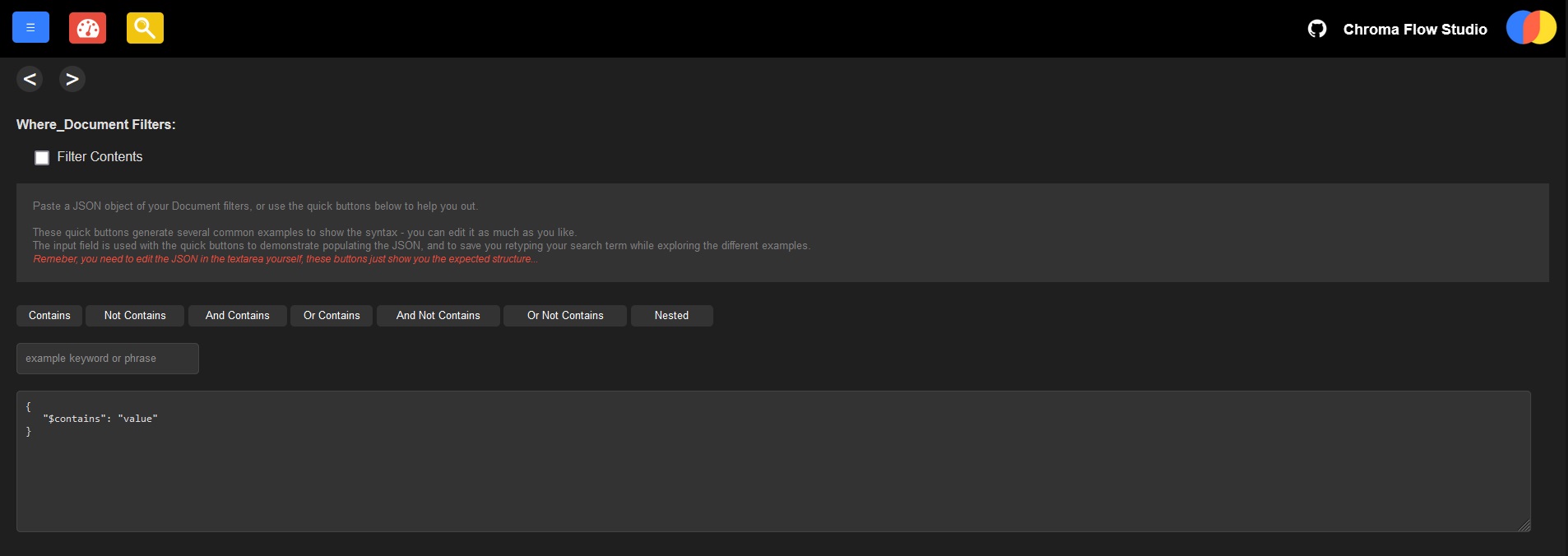
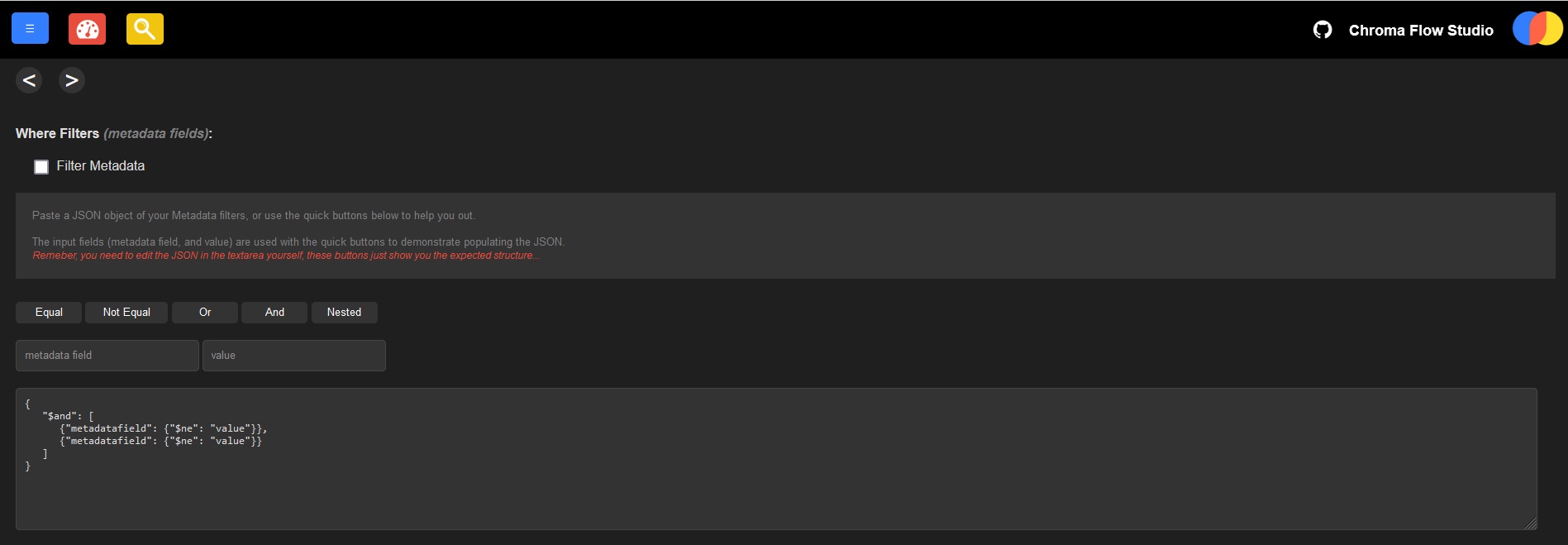
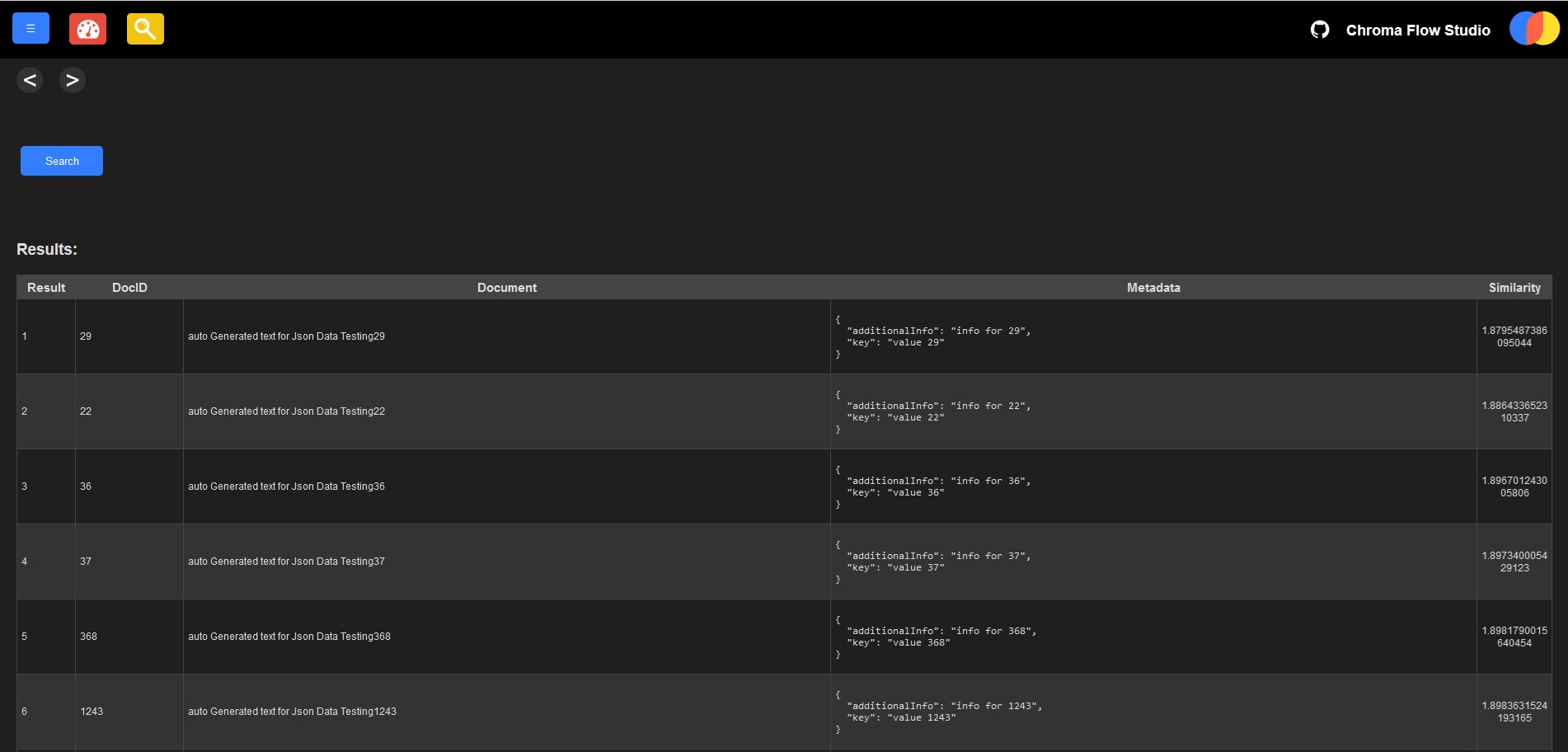
Similarity search is simple and easy to use.
Plus, there are filter options for specific document contents and/or metadata fields to create dynamic and specific queries. Quick buttons are provided to create your desired filters with speed, with full customization.
Visualize Data:
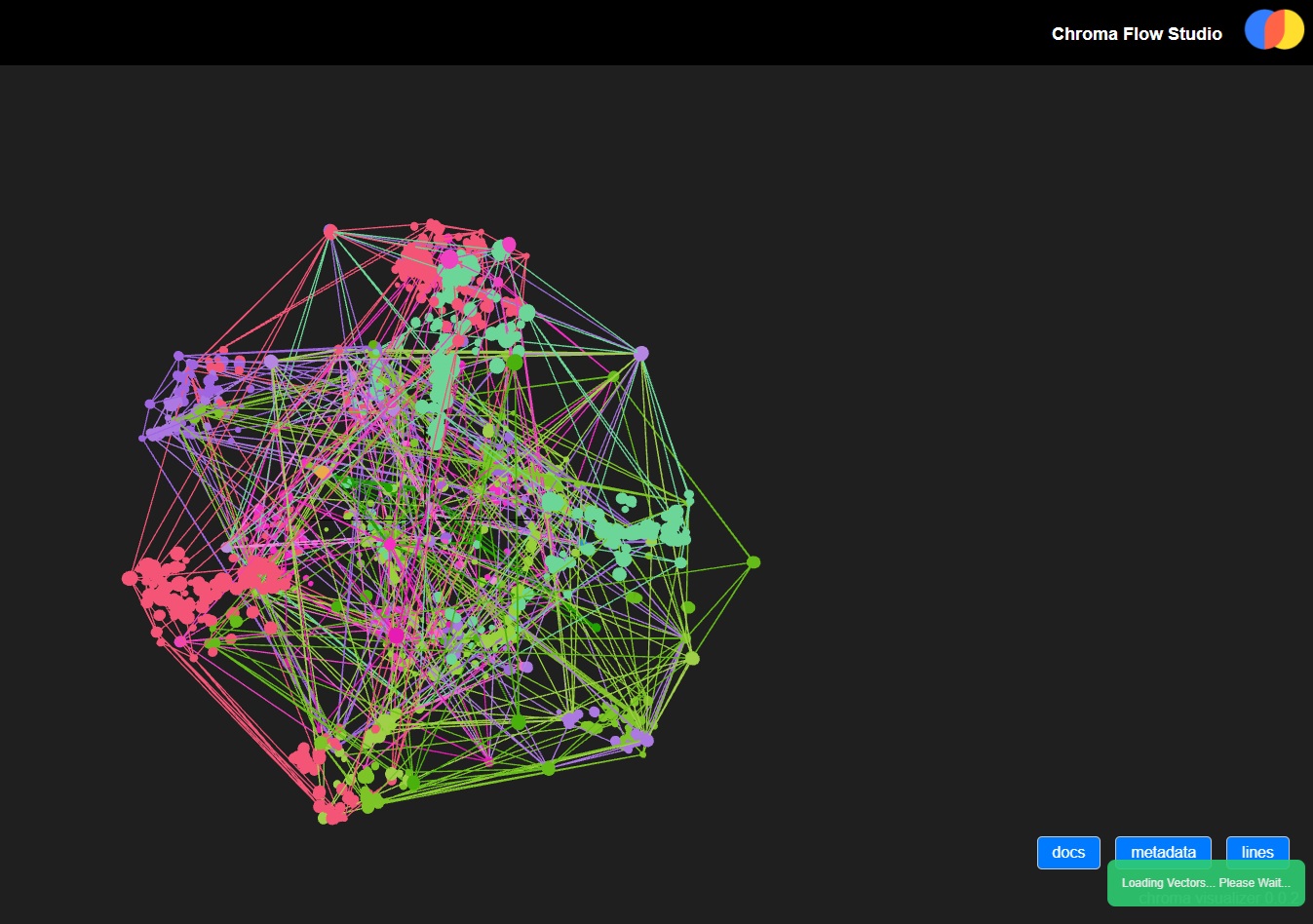
The Visualize page gives you a graphical representation of your collections so you can see how similar groups of documents are to one another. It's also helpful to see how different embedding models generate different visuals on the same data, as a quicker way to see if they’re more accurate for your use case.
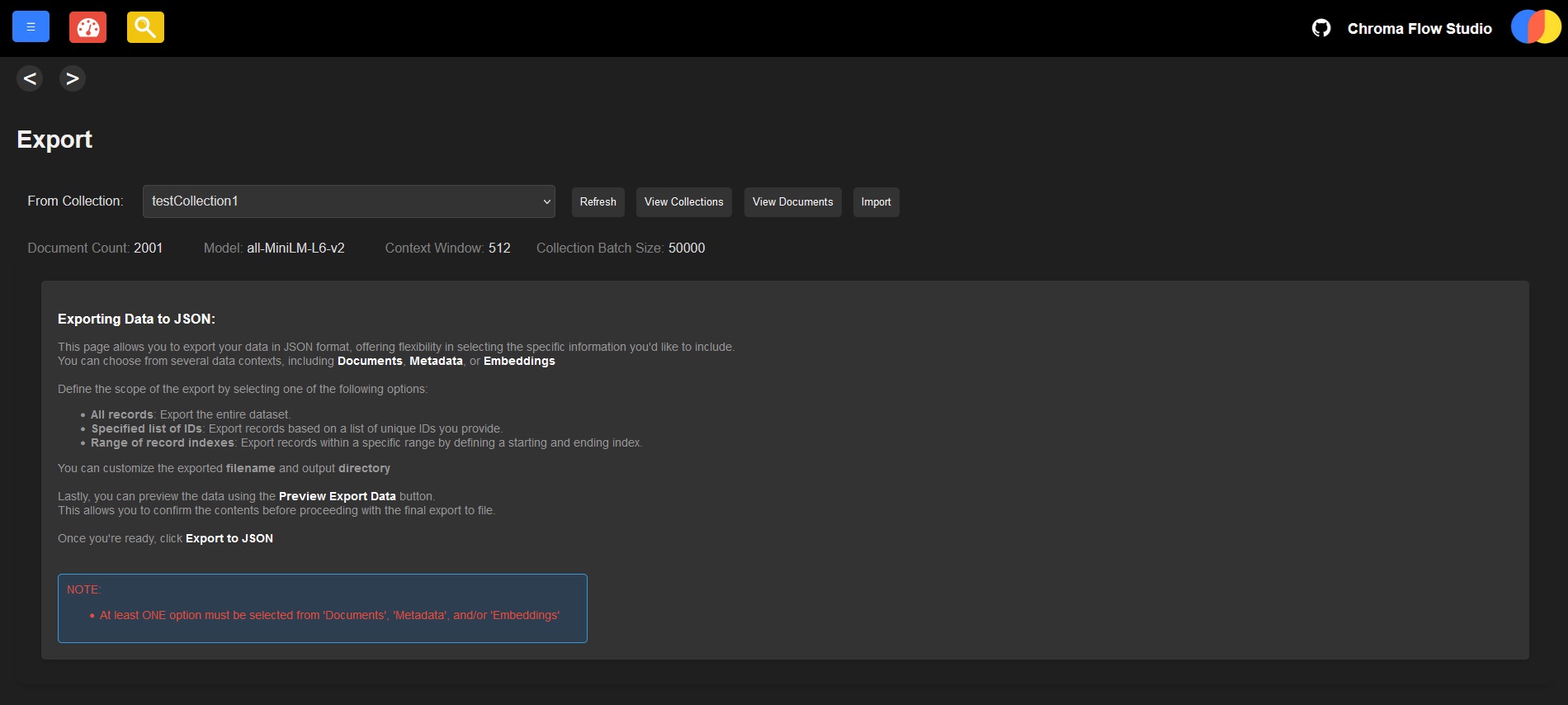
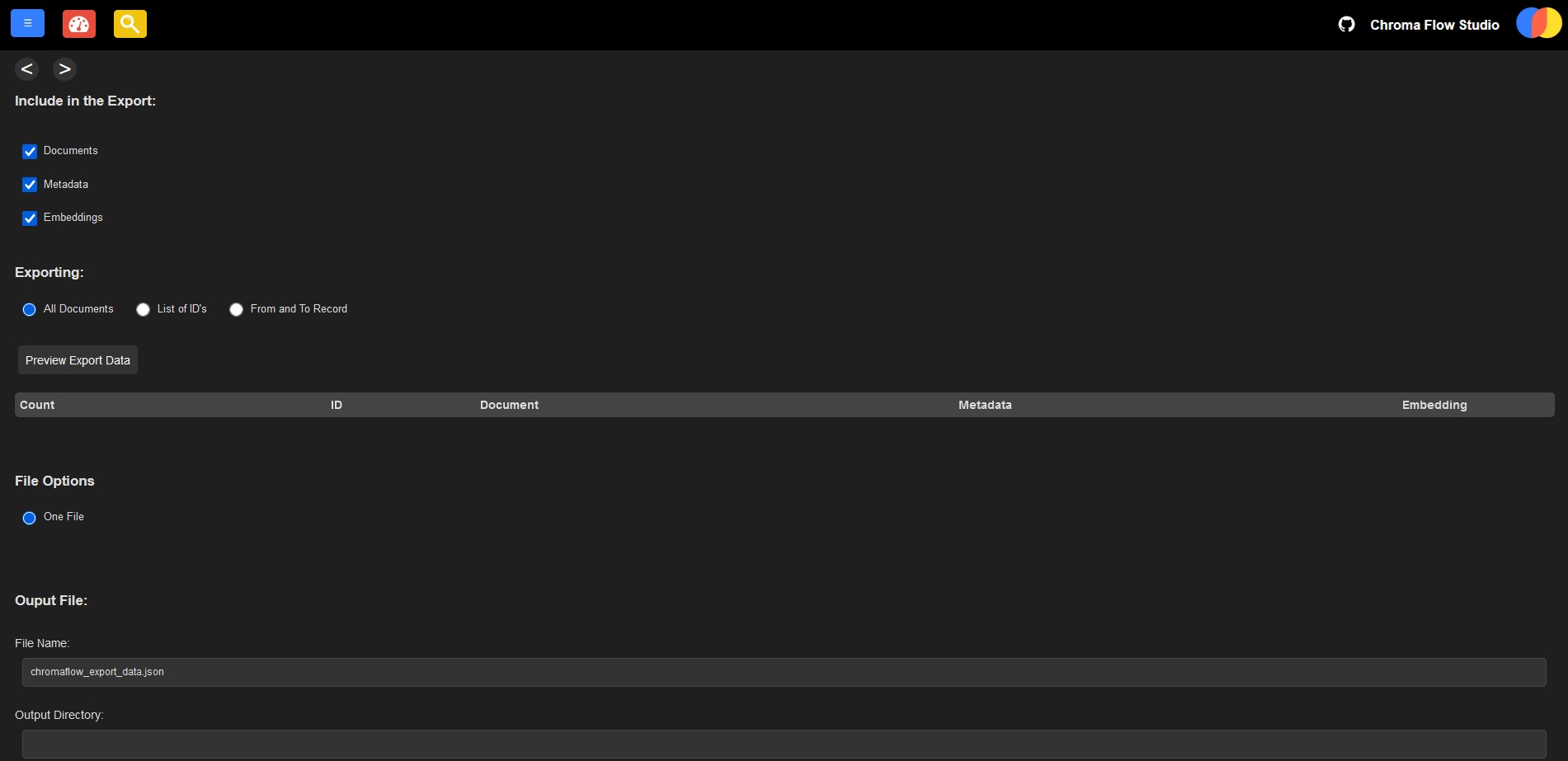
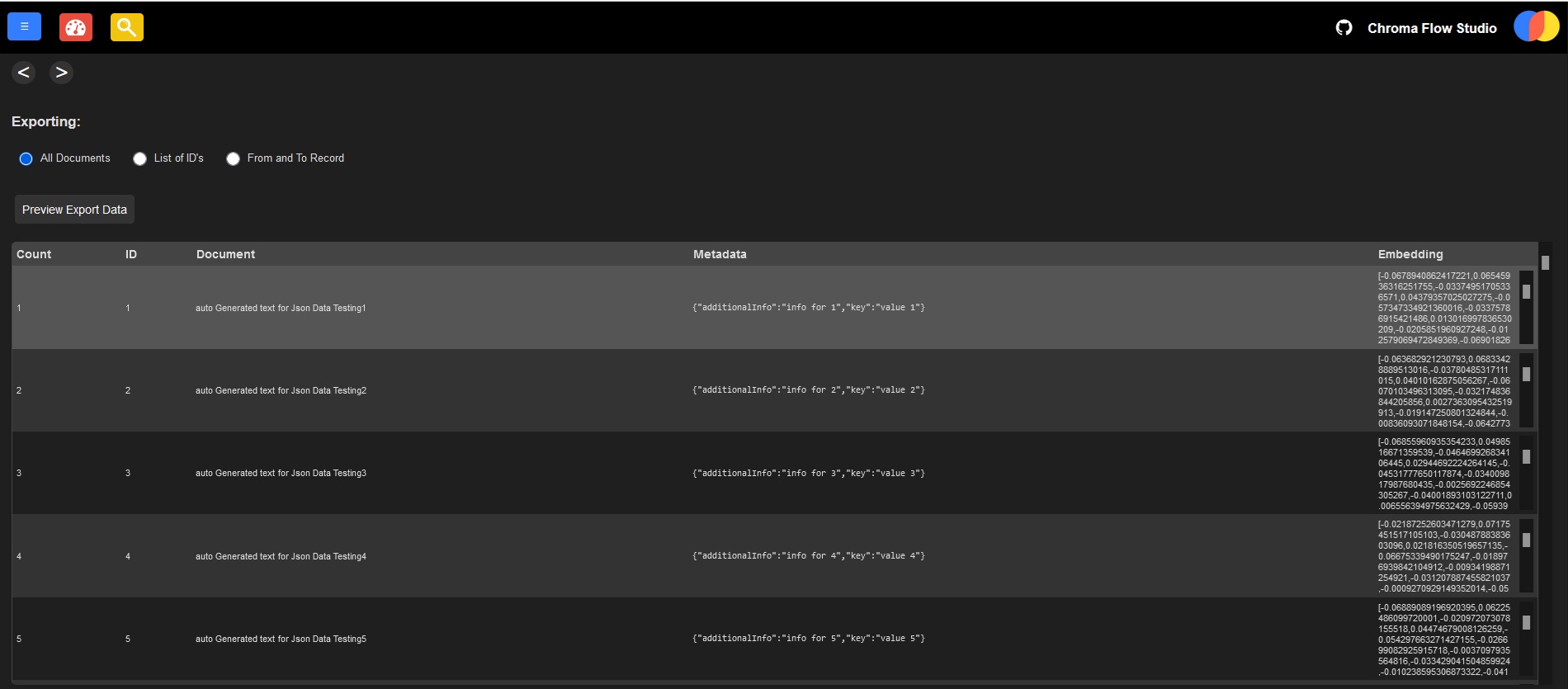
Exporting Data:
The export page lets you pick documents, metadata, embeddings, or all of them to export into a JSON file. You can preview what data would be exported before committing to it And configure the filename and output directory. Simple.
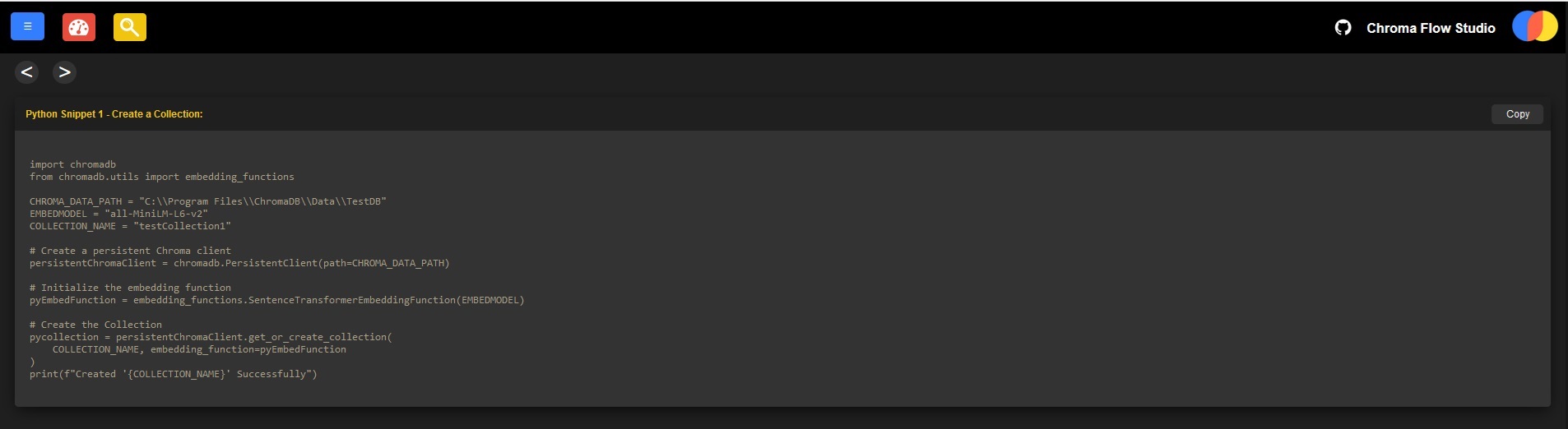
Embedded Python Snippets
At the bottom of the Collections / Documents / Update / Search Pages are Python code snippets showing how to perform those actions programatically. Just copy, paste, run, and done!
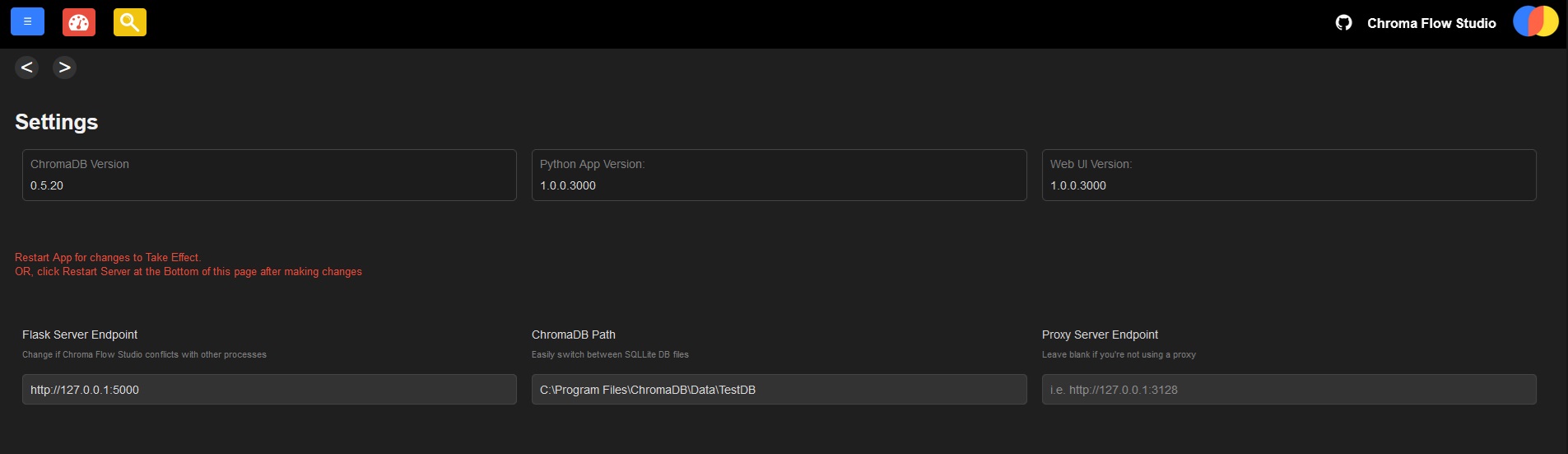
Configure Flask Server and ChromaDB Database File
on the Settings page, you can change the port that Flask runs on if it conflicts with anything else you're running. Yyou can also configure the path the the ChromaDB file - if one doesnt exist, it creates a blank one automatically, but can be used to point to existing chroma.sqlite3 files. If you're using a proxy, it can be set - leave field blank if proxy is not used.
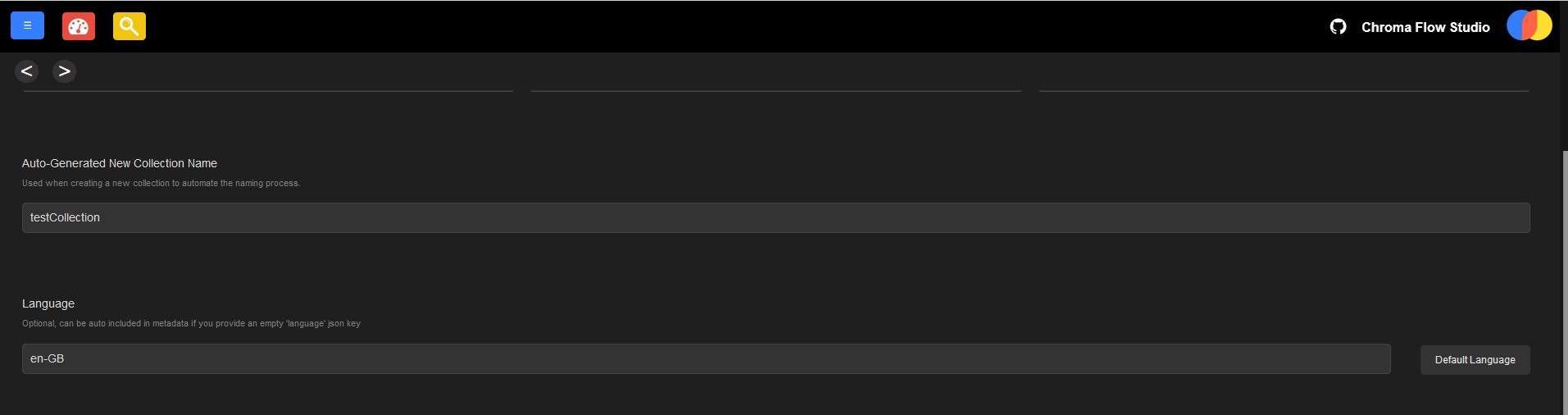
Configure a prefix for collection names
Ability to set a prefix used in the Auto-name generation during the collection creation process. Theres also language setting, that if configured, and if you specify a "languague":"" json metadata key, it automatically uses this value
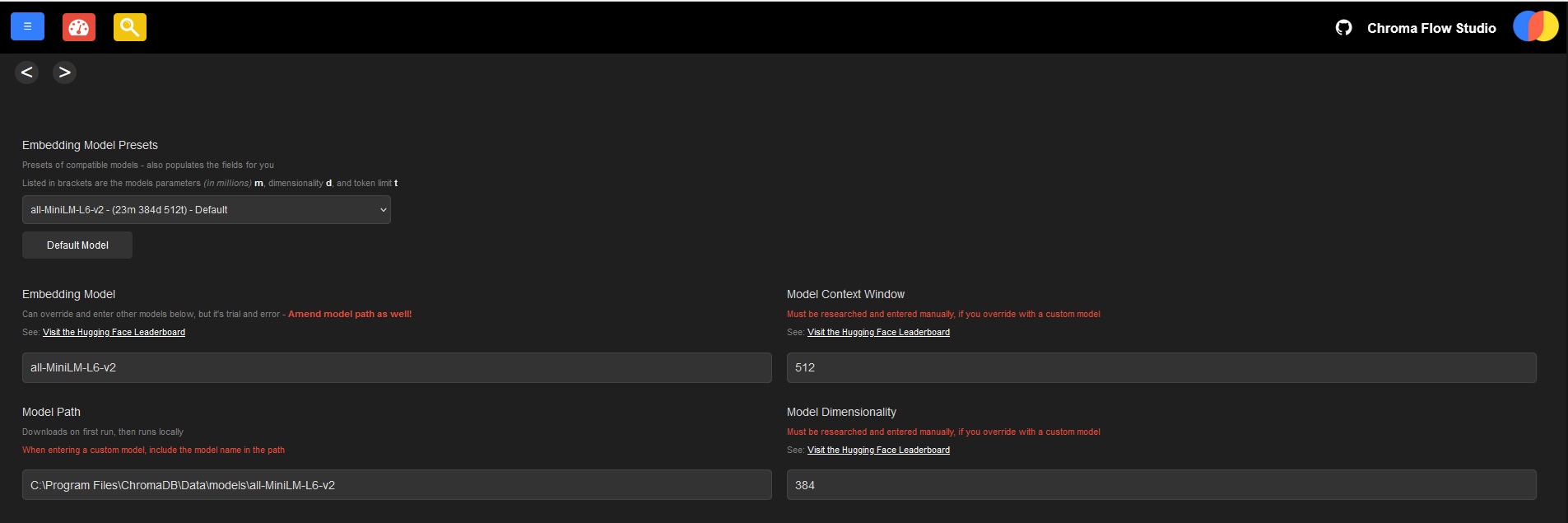
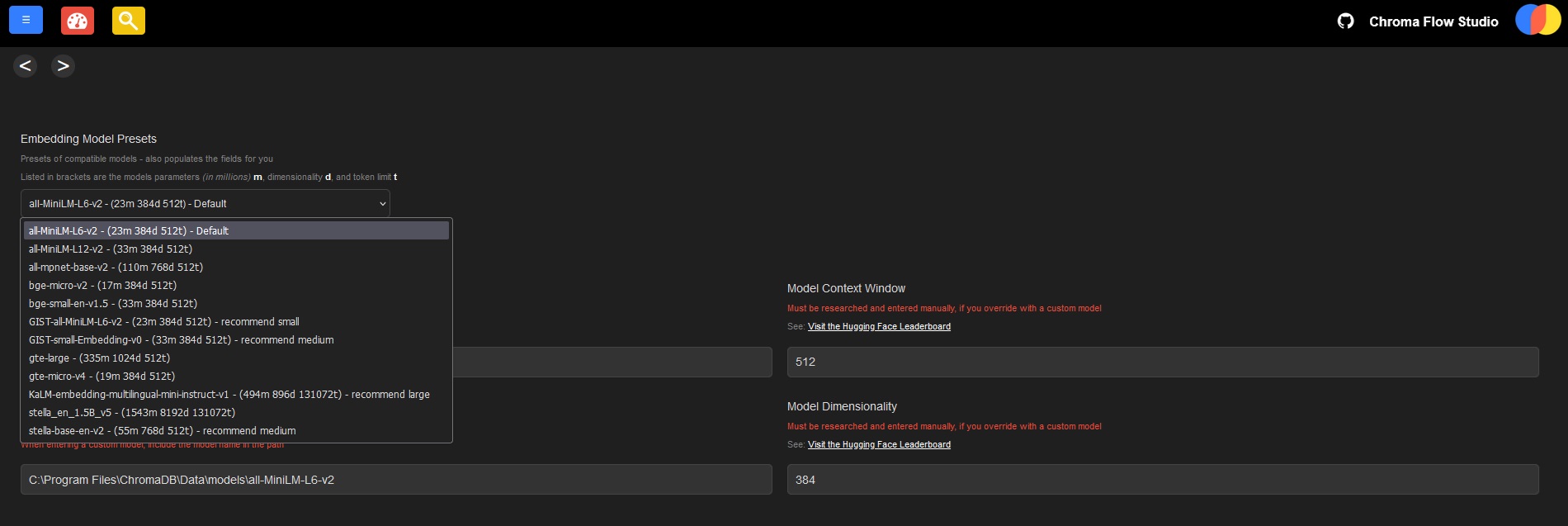
Customize the Embedding Model
Select from a range of embedding models (as the default one that chroma installs with isn't great) theres plenty to choose from, but you can also specify a custom one from hugging face (not all will work, its trial and error)
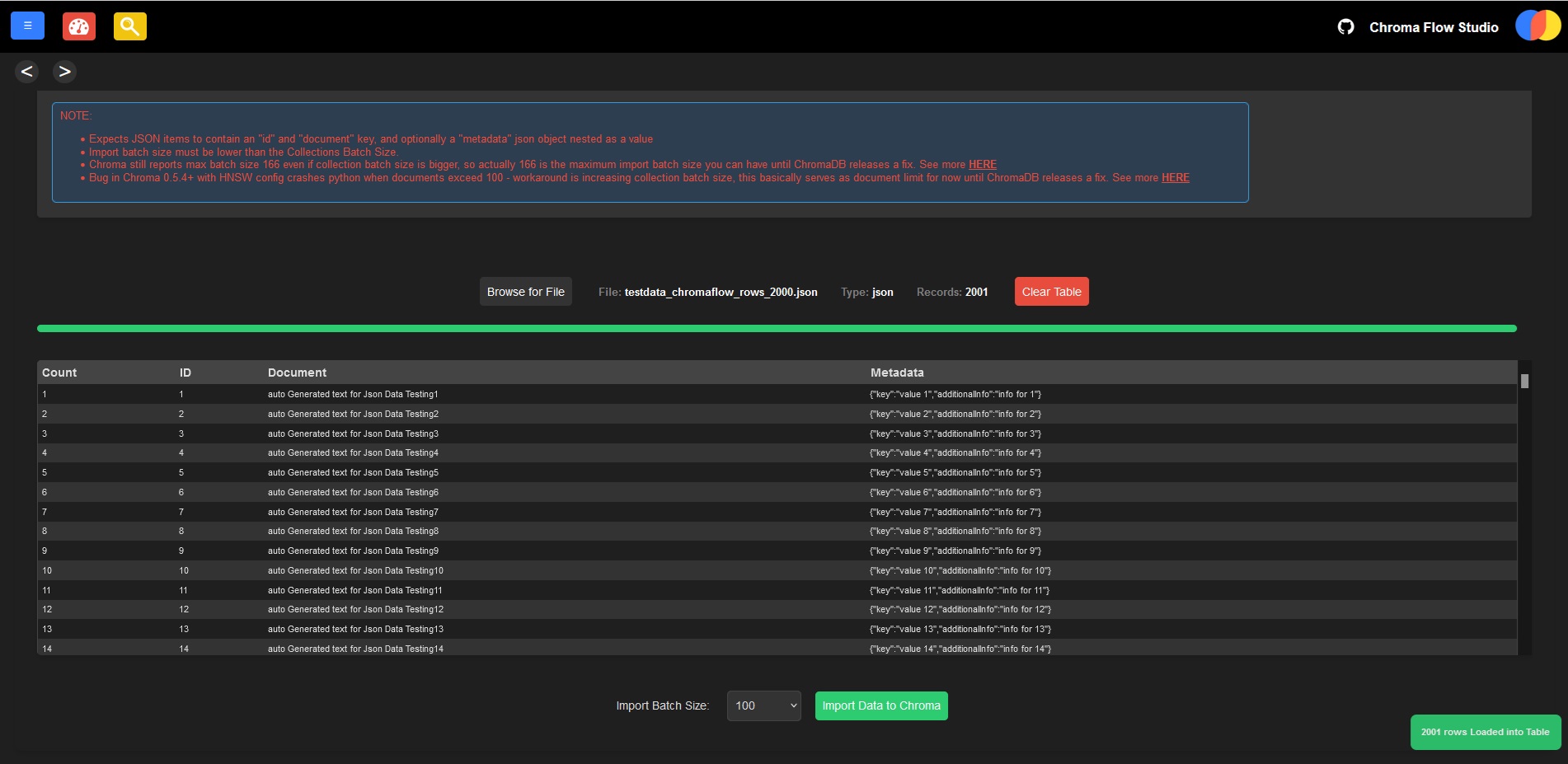
Import data in bulk
upload a josn file to import 1000s x documents at once rapidly!
Links to Other Chroma DB GUI Clients
heres a list of other GitHub projects for Chroma GUI clients:
ChromaDash
https://github.com/coffeecodeconverter/ChromaDash
This is a HTTP Client UI, only works if you also have a HTTP ChromaDB Server running (default listens on 127.0.0.1:8000).
Ignore, if you're interested in python clients.
Chroma UI
https://github.com/thakkaryash94/chroma-ui
https://chroma-ui.vercel.app/
This is a HTTP Client UI, only works if you also have a HTTP ChromaDB Server running (default listens on 127.0.0.1:8000).
Ignore, if you're interested in python clients.
Chroma Peek
https://github.com/Pawandeep-prog/chroma-peek
A Python client for quickly viewing documents in your collections. Can run basic queries for similarity search
Chromagraphic
https://github.com/msteele3/chromagraphic
A Python client for quickly viewing documents in your collections. Can add documents, but not search them.
Vector Admin
https://github.com/Mintplex-Labs/vector-admin
This is a universal management tool that supports Chroma and pinecone databases, with the aim to support more in future.
Good UI that aims to simplify managing multiple vector databases through a unified interface.
Chroma DB Viewer
https://github.com/ill-yes/chromadb-viewer
This application is a simple ChromaDB viewer developed with Streamlit and Python. It allows you to visualize and manipulate collections from ChromaDB. You can select collections, add, update, and delete items.
Chroma Viewer
https://github.com/avantrio/chroma-viewer
A quick viewer for local Chrome DB
Chroma View Master
https://github.com/clearsitedesigns/chromaViewMaster
ChromaView Master is a Streamlit-based tool designed to help you understand, visualize, and manipulate Chroma database collections.
ChromaDB Web UI
https://github.com/treeleaves30760/chromadb-WebUI
This is a NodeJS Client with a Web UI Front End for viewing Chroma Collections.
ChromaDB UI
https://github.com/BlackyDrum/chromadb-ui
This is a NodeJS Client with a Web UI Front End for viewing Chroma Collections.
ChromaDB UI
https://github.com/seancheong/chroma-ui
This is a NodeJS Client with a Web UI Front End for viewing Chroma Collections.
ChromaDB UI
https://github.com/keval9098/chromadb-ui
This is a Python Client with a Web UI Front End for viewing Chroma Collections.
ChromaDB RAG
https://github.com/leporejoseph/streamlit_Rag
RAG System using ChromaDB to drive it